Connect Onbbits to Pabbly

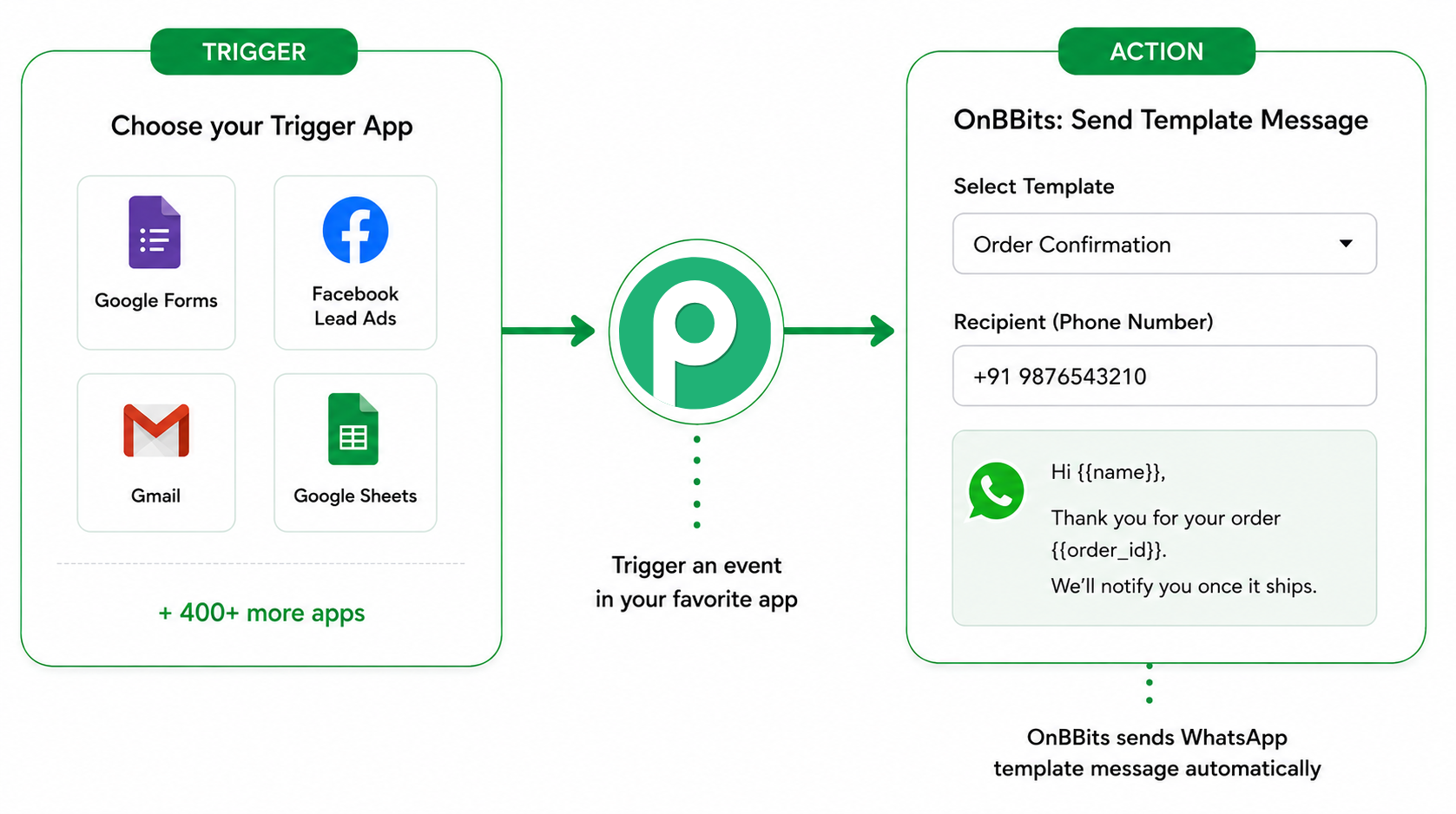
What the Pabbly Integration Does

Why Use This Integration

Before You Begin

Steps

  1. In Onbbits, go to Settings → API Key and copy your API key.
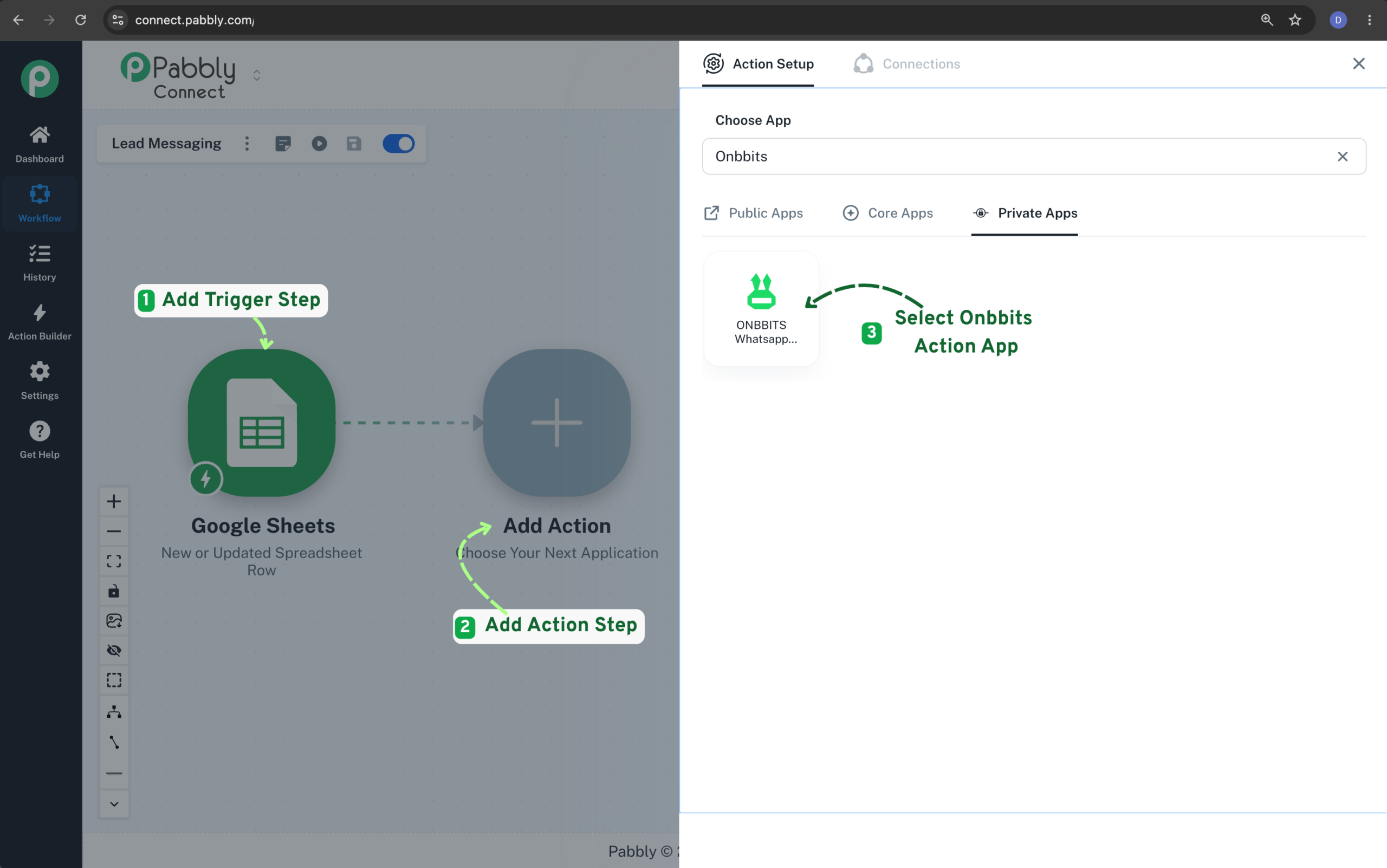
  2. In Pabbly Connect, create a new workflow and select the trigger app & event you want to use.
  3. Add Onbbits as the action app.
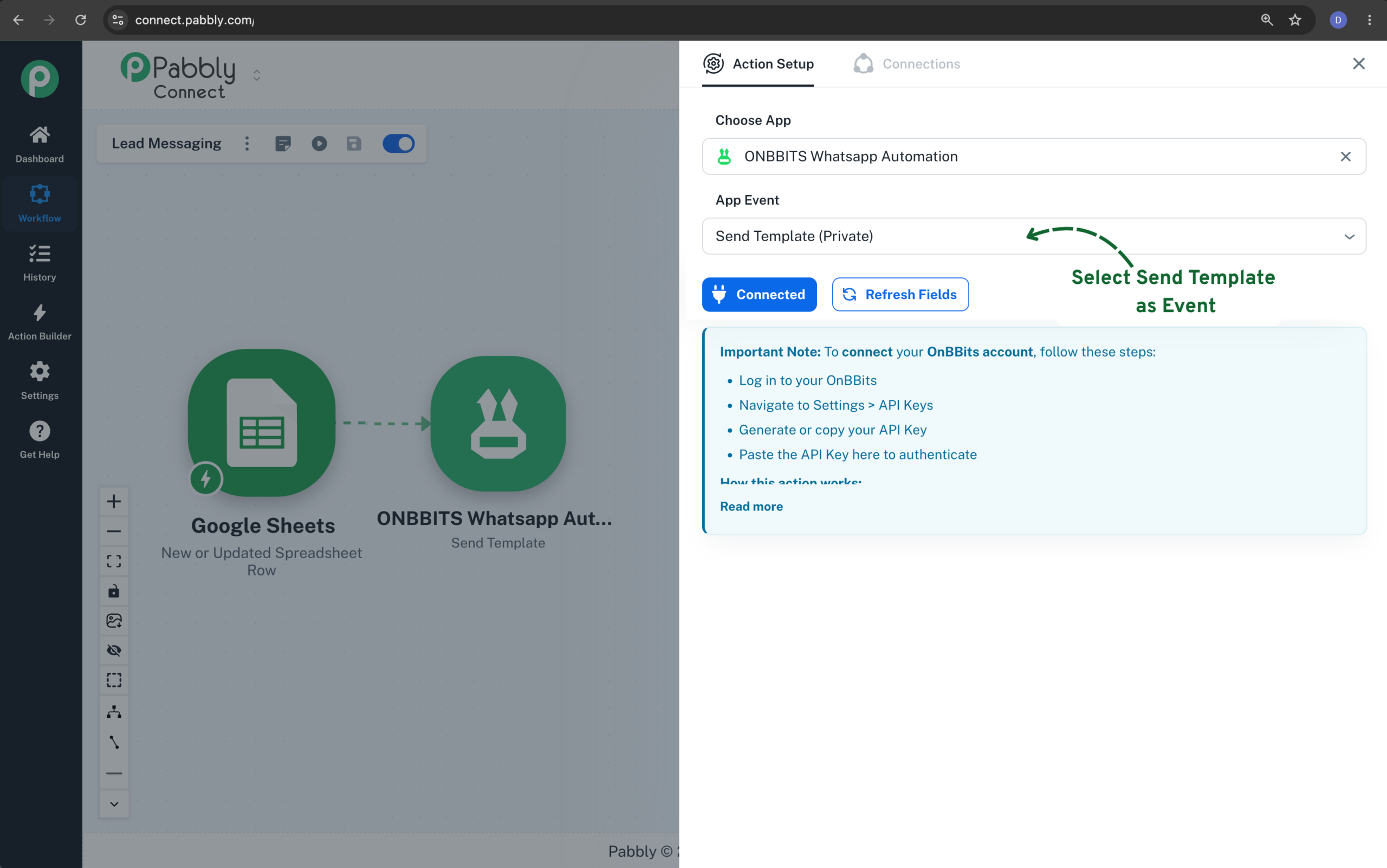
  1. Select Send Template Event
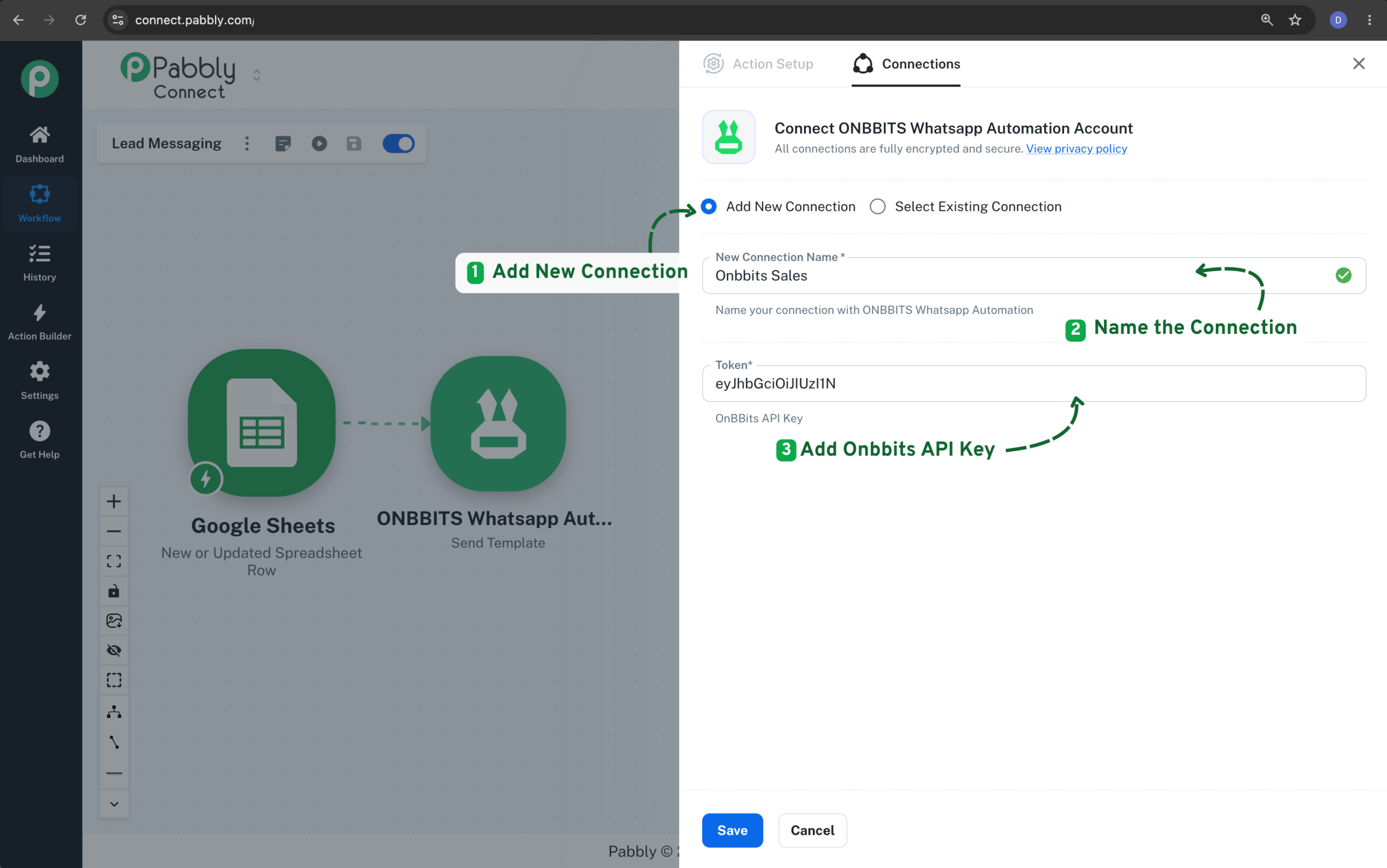
  2. Connect your Onbbits account using the API key you copied.
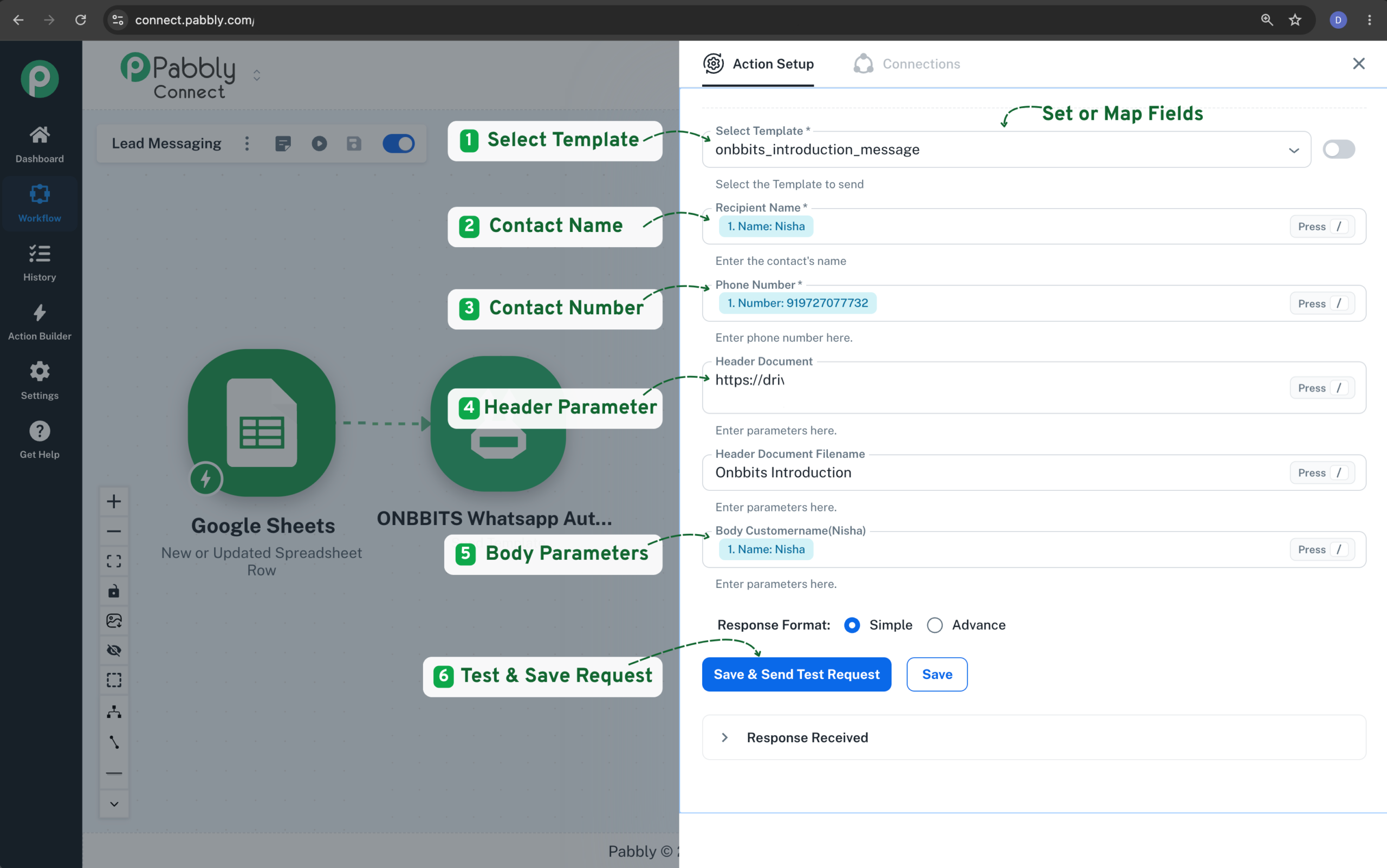
  3. Select the template you want to send from the list.
  4. Map the template’s parameters to the relevant fields from your trigger step.
  5. Enter the recipient’s name and number.
  6. Save and test your workflow.
  1. Connect your Onbbits account using the API key you copied.
  1. Connect your Onbbits account using the API key you copied.
  2. Select the template you want to send from the list.
  3. Map the template’s parameters to the relevant fields from your trigger step.
  4. Enter the recipient’s name and number.
  5. Save and test your workflow.
Related Articles

ERPNext

Still need help?

Our support team is ready to assist you.

ONBBITS Help Doc v1.0