
OVERVIEW
FEATURES
INTEGRATION
SUPPORT
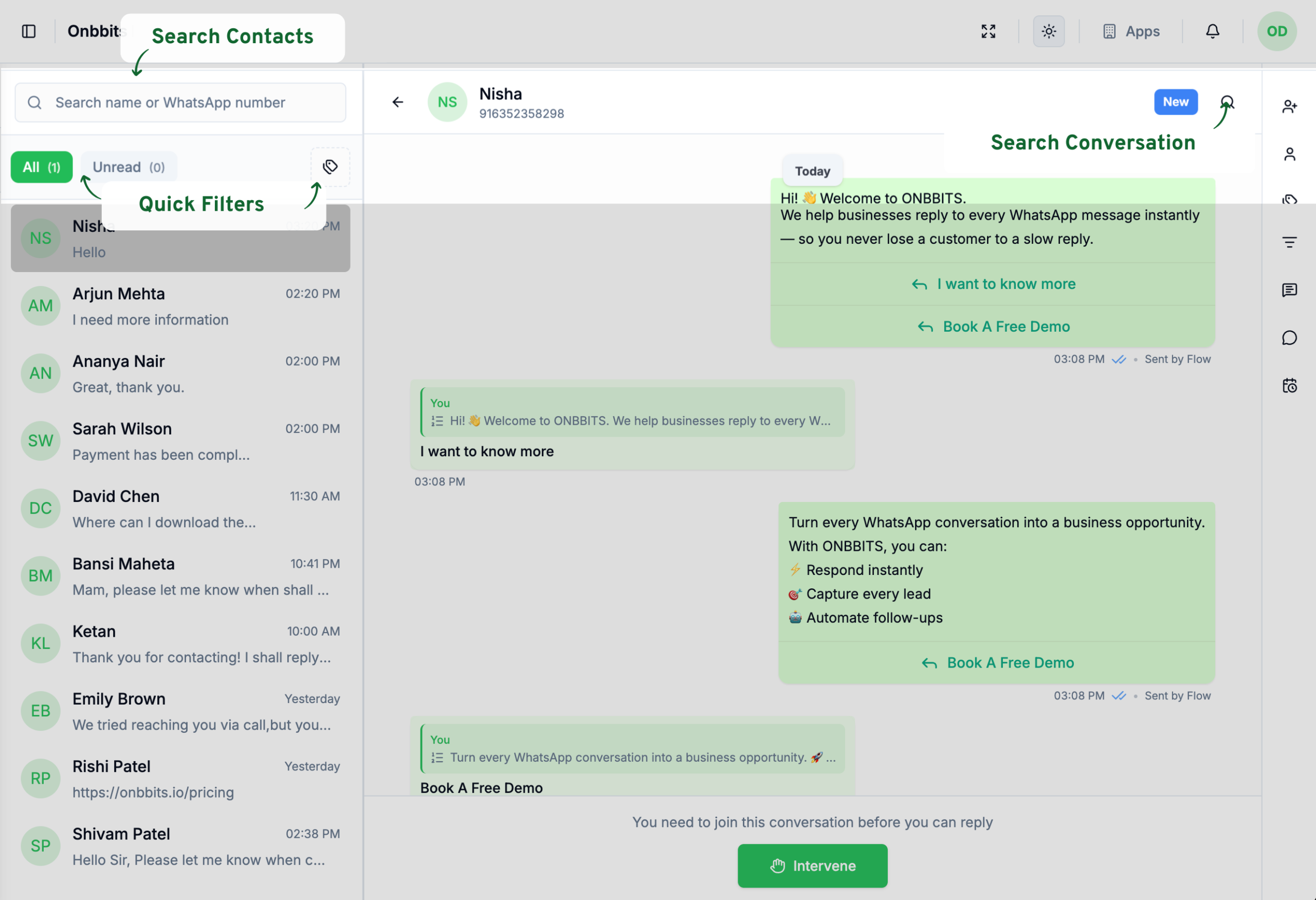
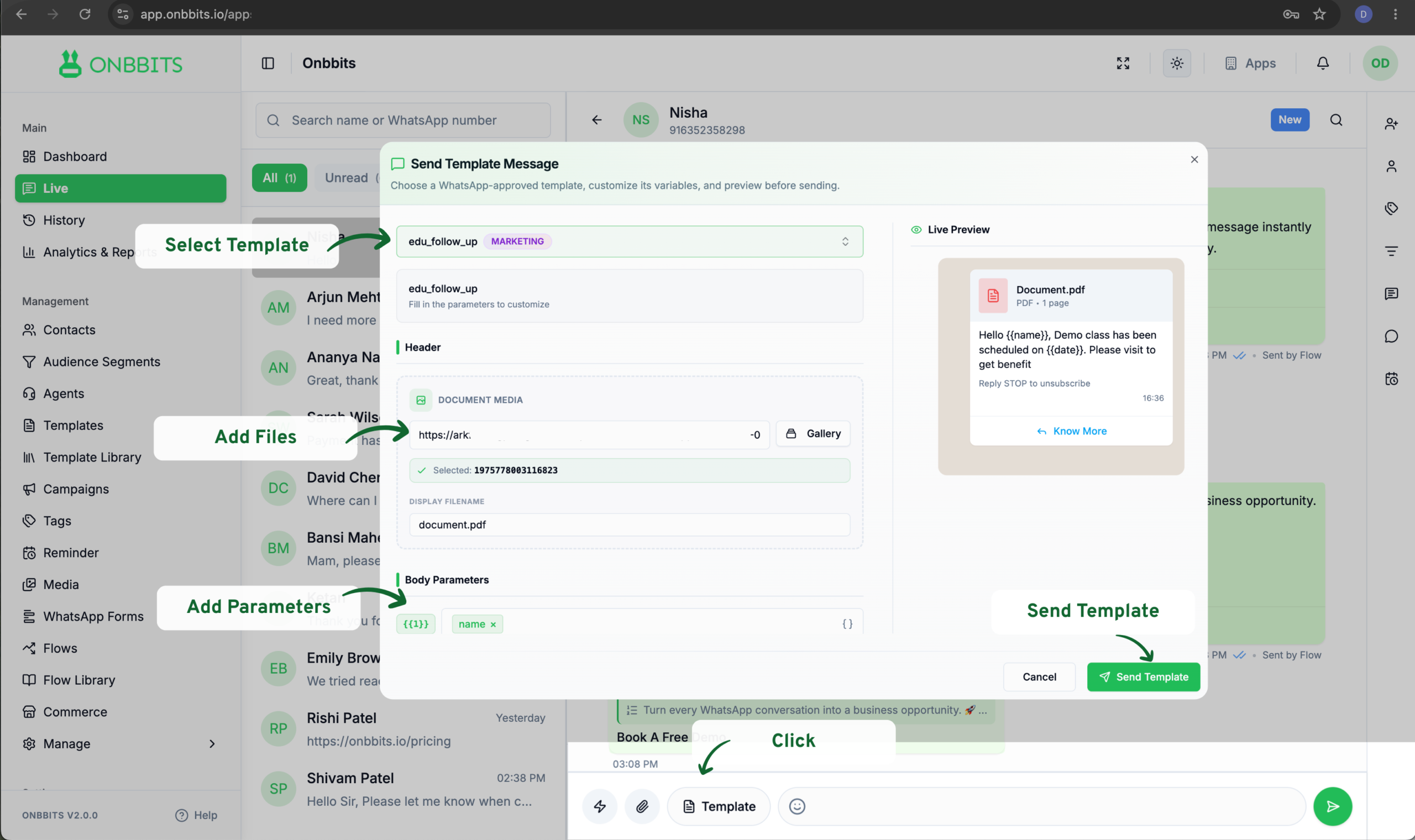
Once a conversation is active, you can start replying to customers, tagging conversations, and collaborating with your team. This article covers these actions and assumes the chat is already assigned to you.
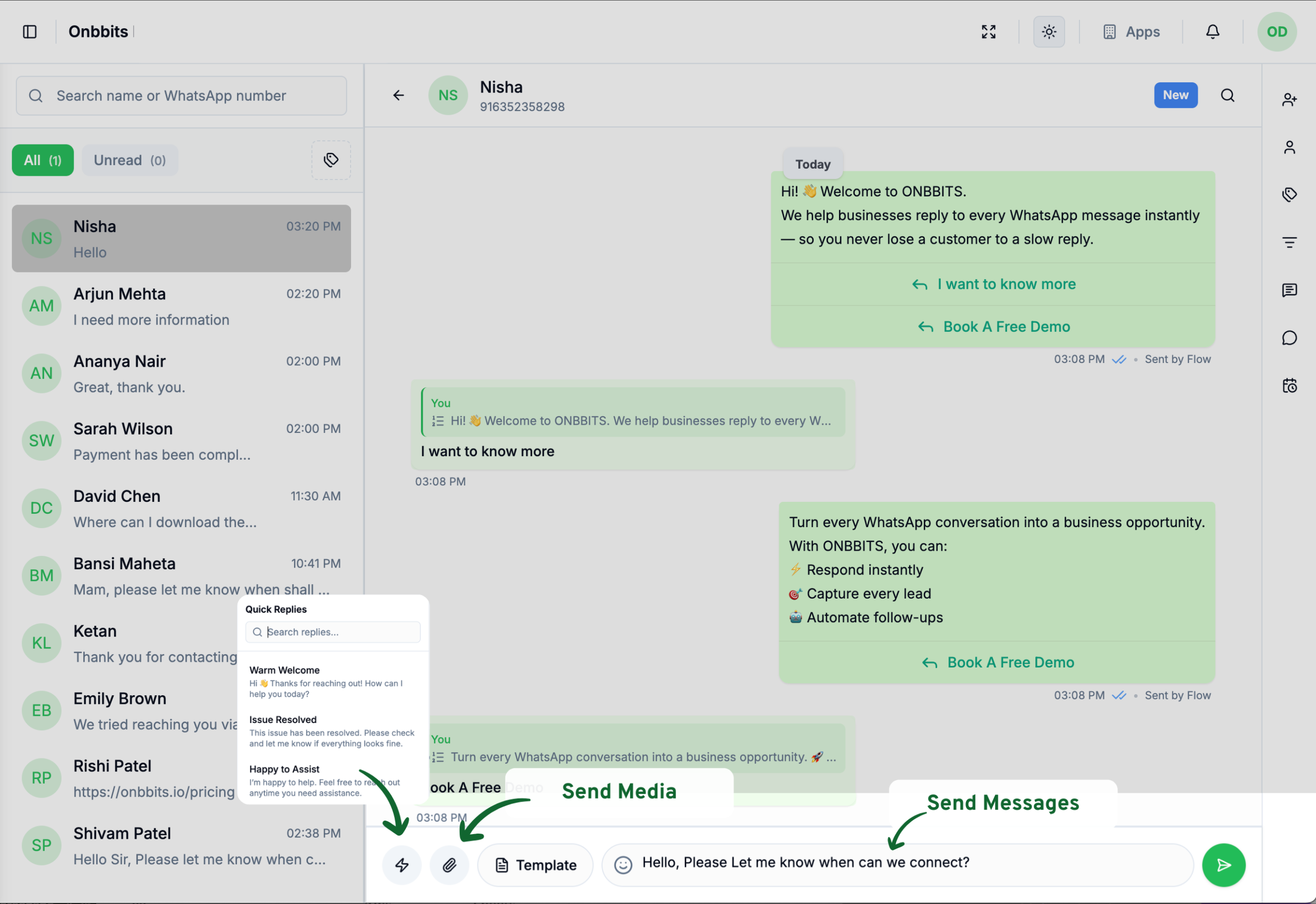
You can also tap the paperclip icon to attach media, or the lightning bolt icon to send a quick reply.
Existing comments show who wrote them and when, so your team always has context before picking up a conversation.
Use Agent Messages to loop in a teammate on a specific chat. They’ll get a notification.
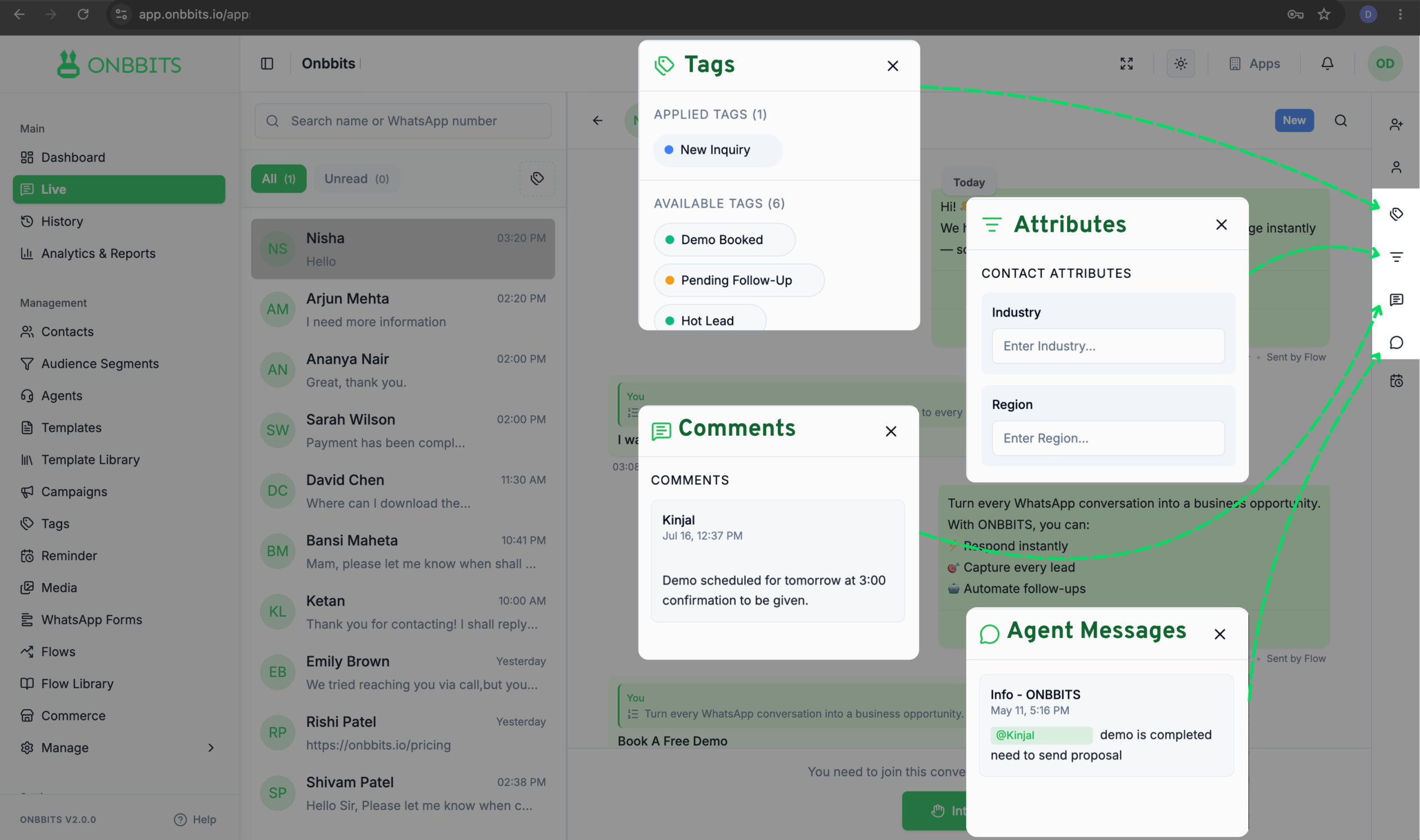
Chat status indicates the current stage of a conversation, helping your team track its progress.
Still Have Questions? Visit Our FAQ Page
Our support team is ready to assist you.
© 2026 ONBBITS. All rights reserved.