
How to Create & Manage Tags

You create tags from the Tags page using the Add Tag button. To edit or delete an existing tag, hover over its card — an Edit and a Delete option will appear.

Create a New Tag

Follow these steps to add a new tag to your account.
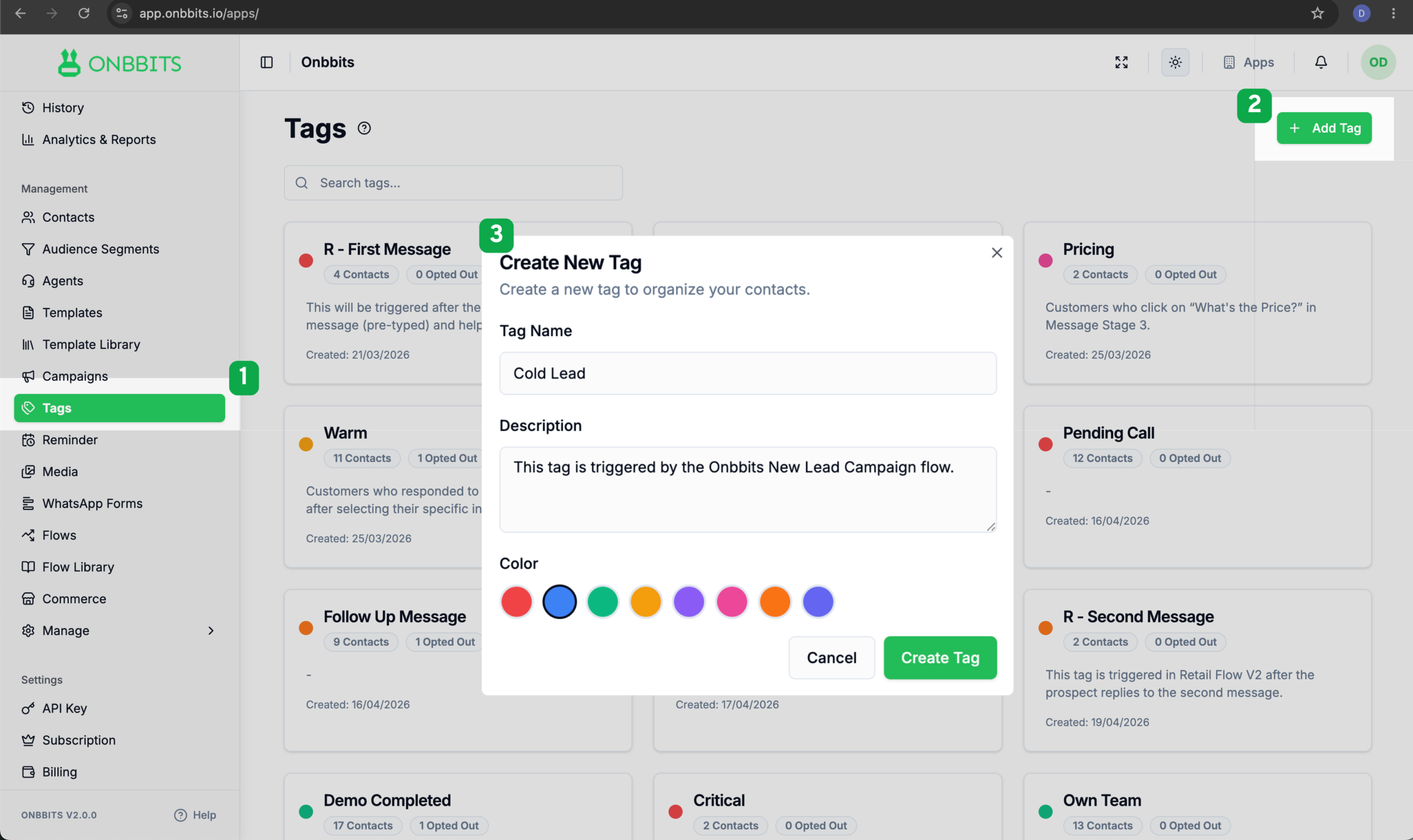
  1. Go to the Tags page.
  2. Click Add Tag in the top right corner.
  3. In the Tag Name field, enter a short, descriptive name (for example, Demo Booked or Hot).
  4. In the Description field, add an optional note explaining what the tag means or when it should be used. This is especially helpful for tags tied to automation.
  5. Under Color, select one of the available color options for the tag.
  6. Click Create Tag.
Tips
Related Articles

What Are Tags in Onbbits?

Still need help?

Our support team is ready to assist you.

© 2026 ONBBITS. All rights reserved.