Create & Launch a Broadcast Campaign

This guide walks you through creating and launching a Broadcast Campaign in Onbbits, from picking your audience to sending your message.
Step 1: Choose Your Campaign Type

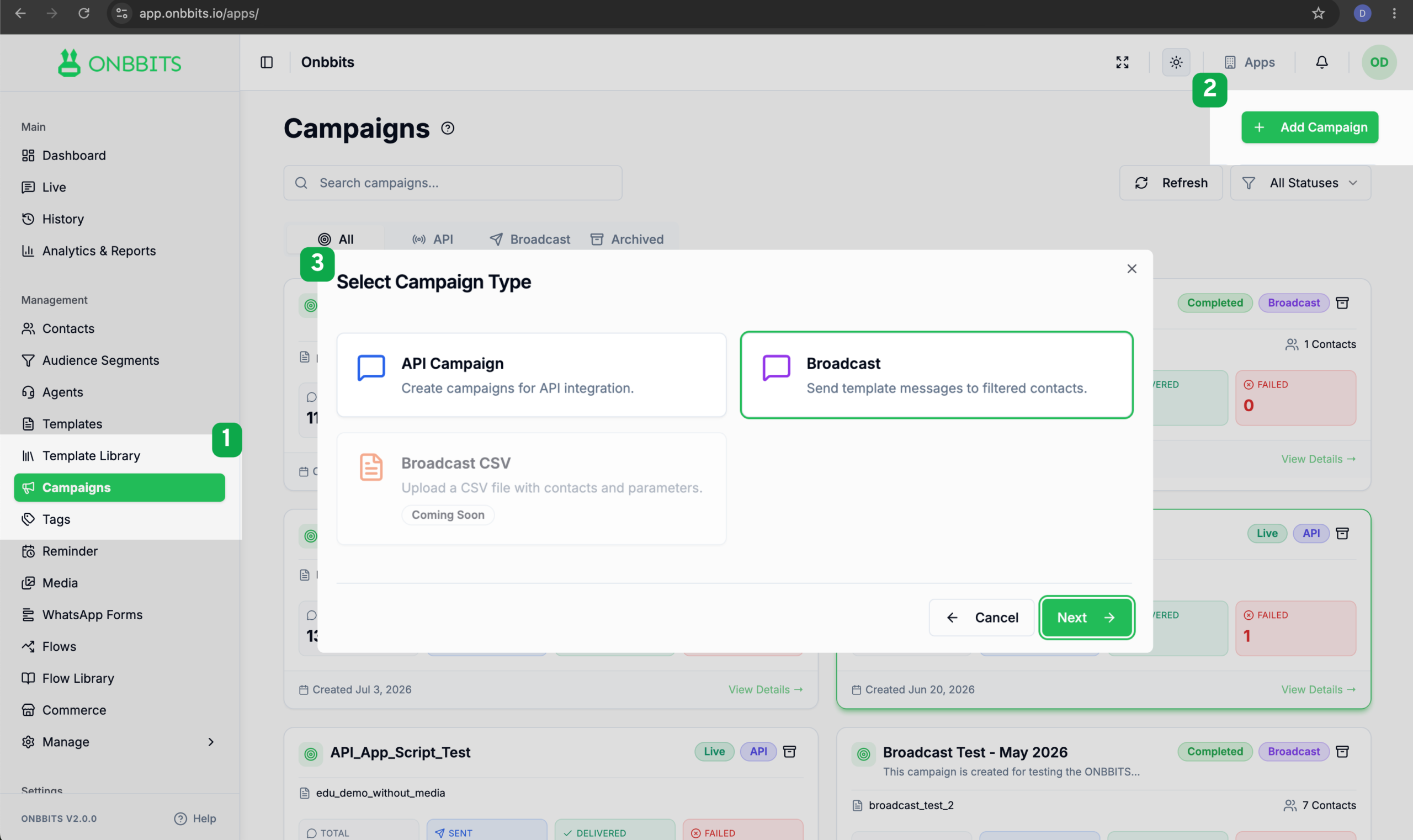
  1. Go to Campaigns and click Add Campaign.
  2. On the Select Campaign Type screen, choose Broadcast.

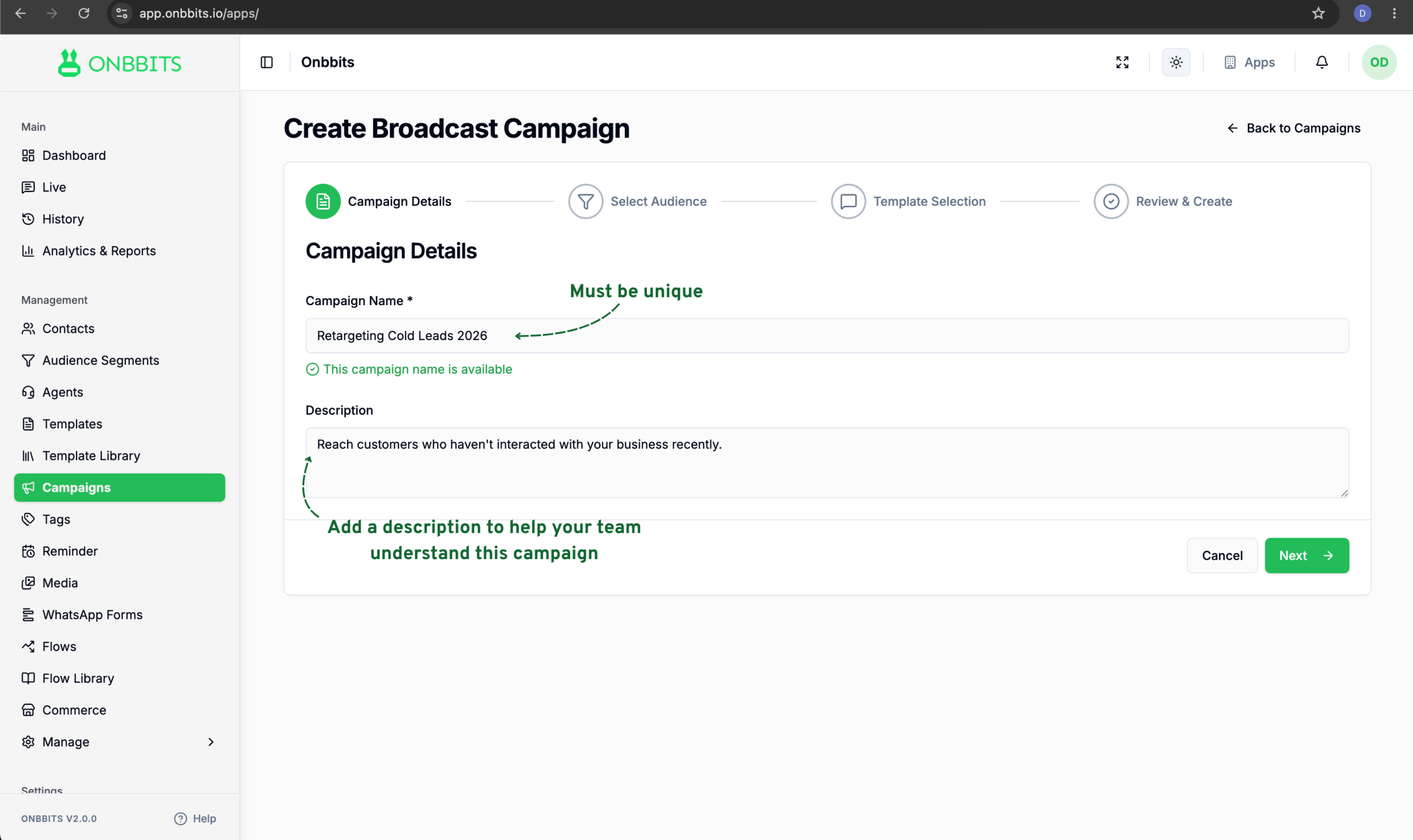
Step 2: Add Campaign Details

  1. Enter a Campaign Name. It needs to be unique, so avoid reusing a name from a previous campaign.
  2. Add a Description if you’d like (this is optional).

Step 3: Select Your Audience

Contacts who have opted out are automatically excluded from every Broadcast Campaign, so you don’t need to filter them out yourself.
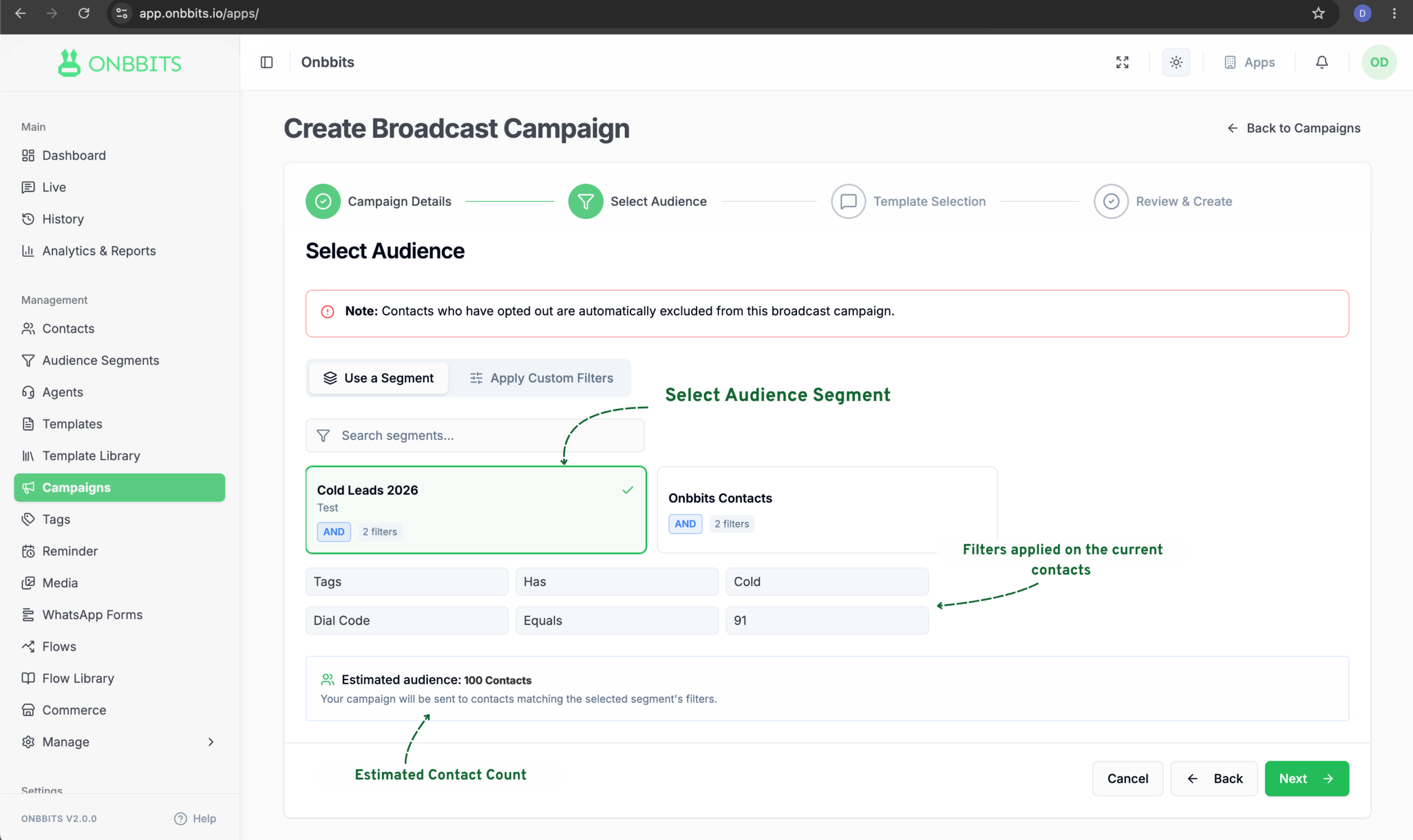
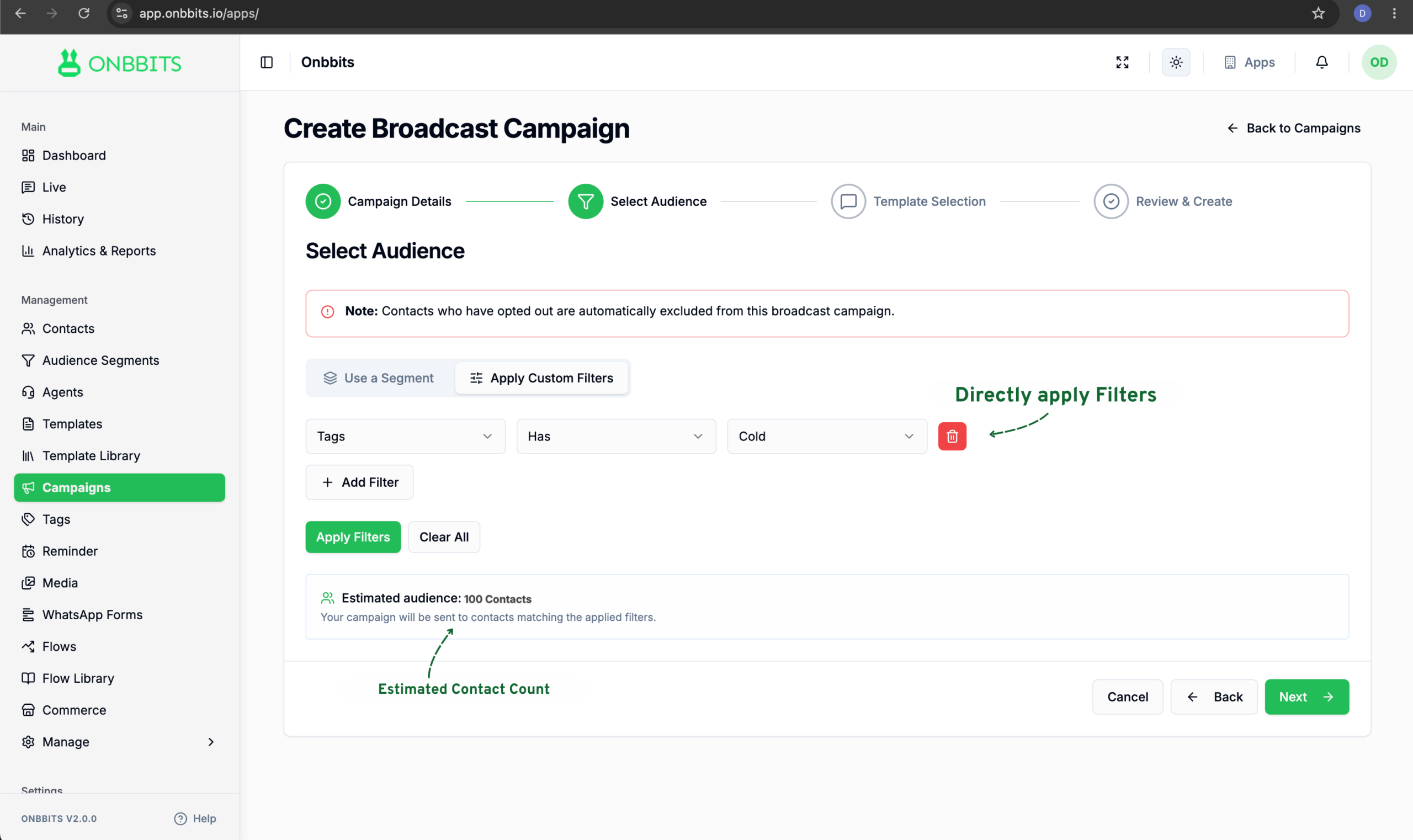
  1. Choose how you want to build your audience: Use a Segment or Apply Custom Filters.
  2. If you’re using a segment, create an Audience Segment first, then select it from the list.
  1. If you’re using custom filters, select a field, an operator, and a value, then click Add Filter to add more conditions.
  2. Click Apply Filters to run them, or Clear All to start over.
  3. Check the Estimated Audience count to see how many contacts match your filters.
Note

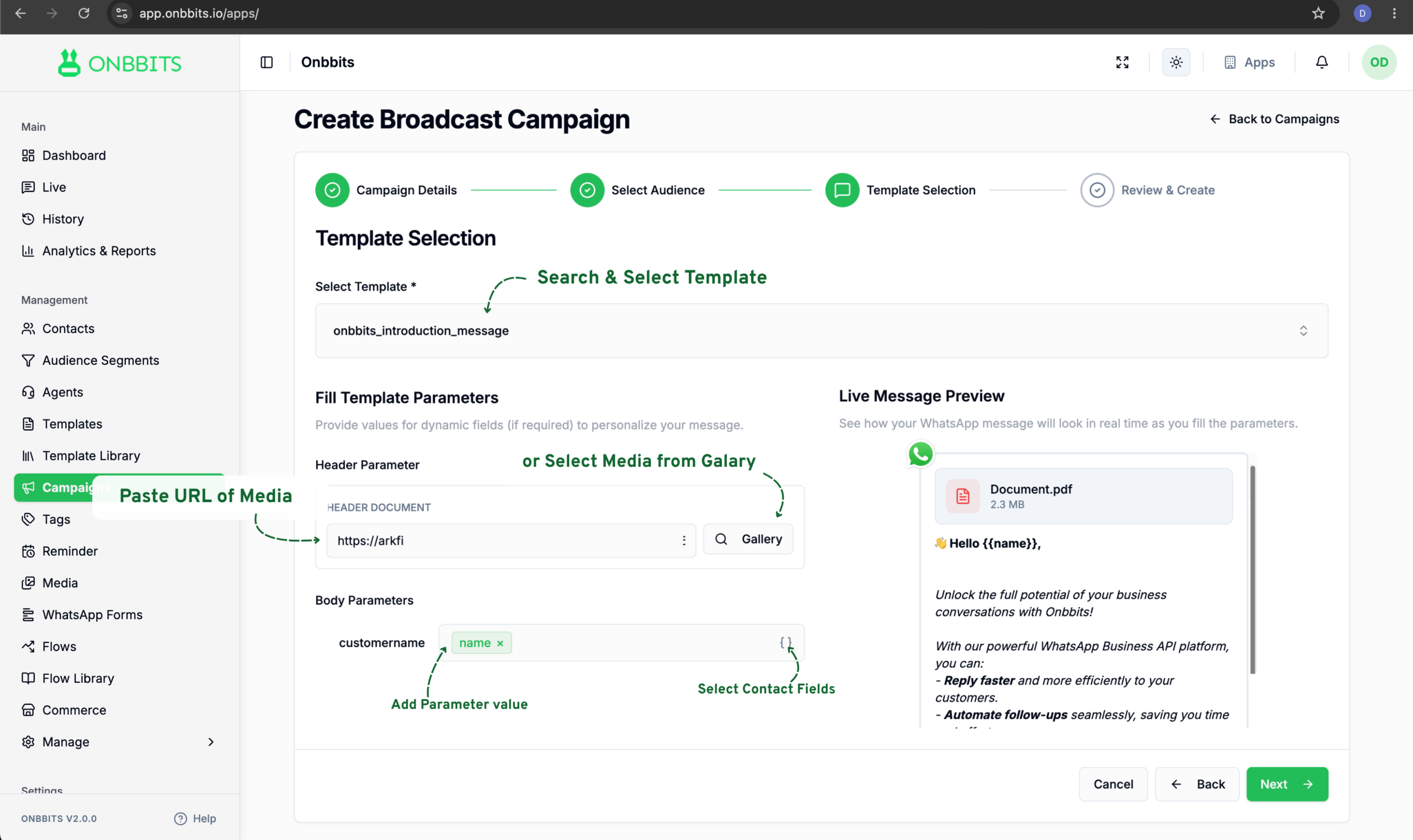
Step 4: Select a Template

  1. Choose a template from the Select Template dropdown.
  2. If your template has dynamic fields, fill in the Body Parameters.
  3. Check the Live Message Preview.

Step 5: Review and Create

The final step shows you everything about the campaign before it goes out.
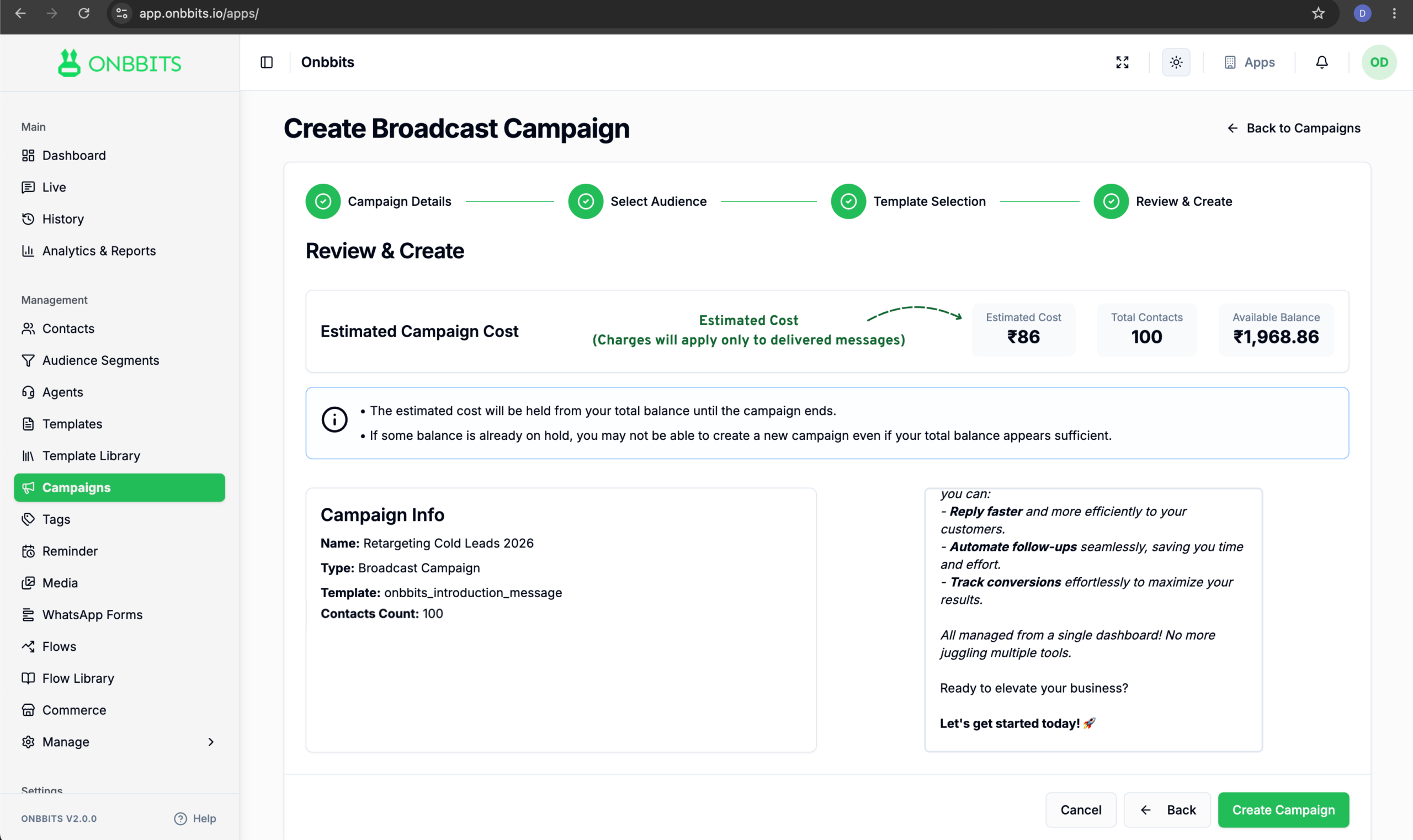
You’ll land back on the Campaigns dashboard after clicking Create Campaign. The campaign won’t send instantly. It moves through a few statuses over a minute or two: Draft, then Queued, then Sending, and finally Completed.

Note

Resend to Failed Contacts

Failed contacts work differently. Instead of creating a new campaign, you resend the same message directly to the contacts that failed.
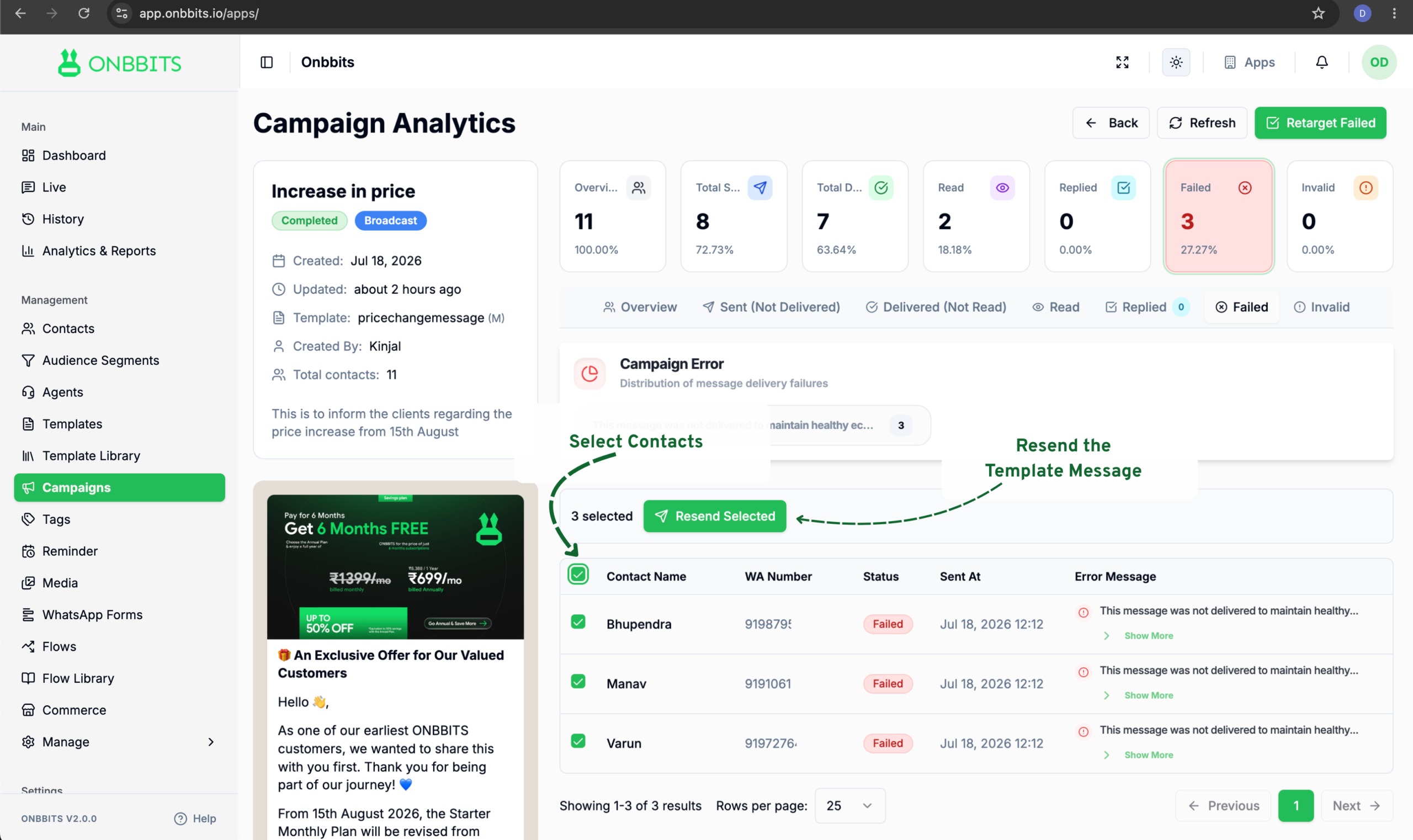
  1. Click the Failed tab.
  2. Select the contacts you want to resend to.
  3. Click Resend Selected.

This resends the message to just those contacts within the same campaign. No new campaign is created.

Related Articles

What Is a Campaign?

Understanding Campaign Analytics

Create & Launch an API Campaign

Schedule a Campaign

Retarget Campaigns

Still need help?

Our support team is ready to assist you.

© 2026 ONBBITS. All rights reserved.