
OVERVIEW
FEATURES
INTEGRATION
SUPPORT
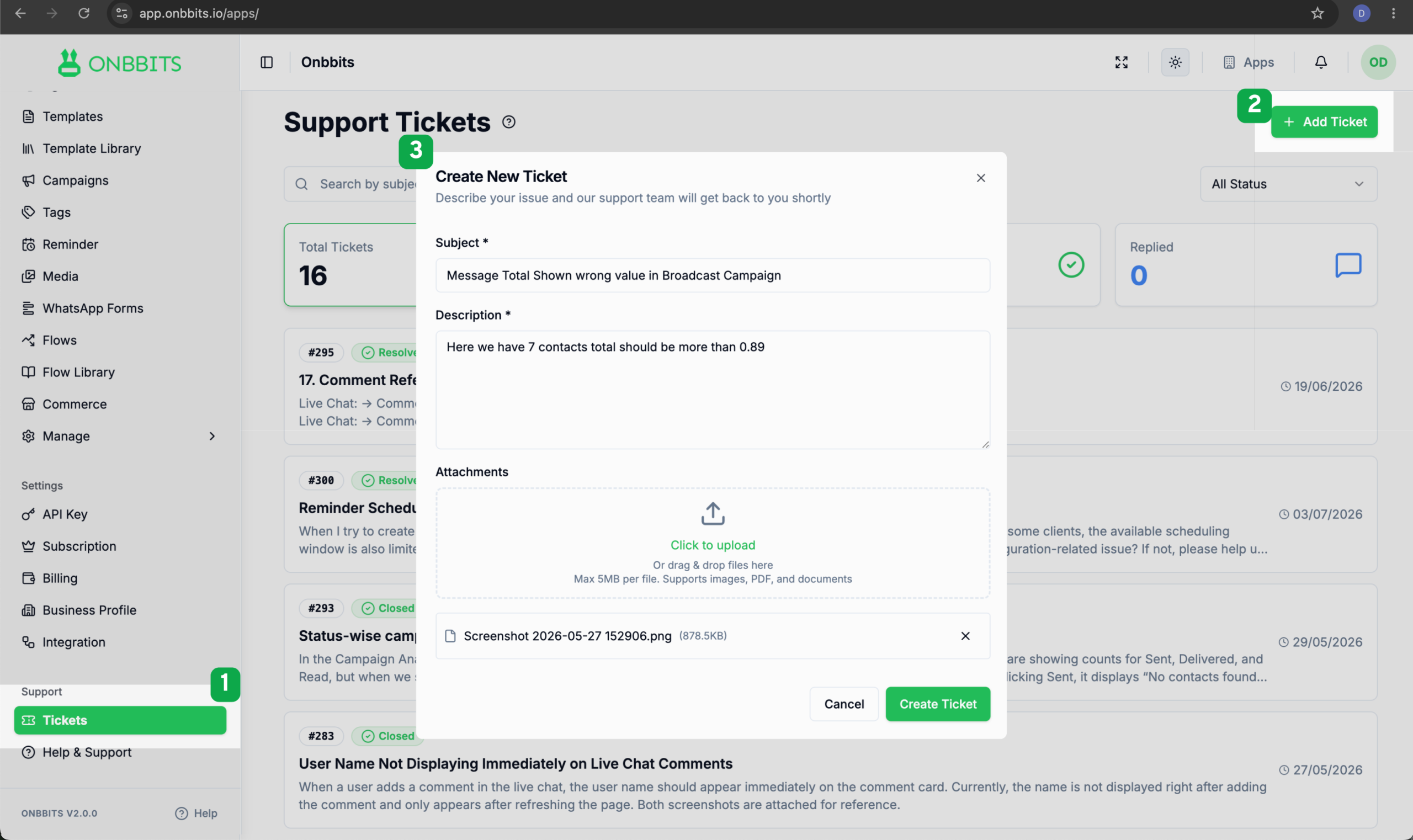
If you run into a technical issue, have a question about a feature, or want to share feedback, you can raise a support ticket directly from your Onbbits dashboard. This guide walks you through creating a ticket, tracking its progress, and rating your support experience once it’s resolved.
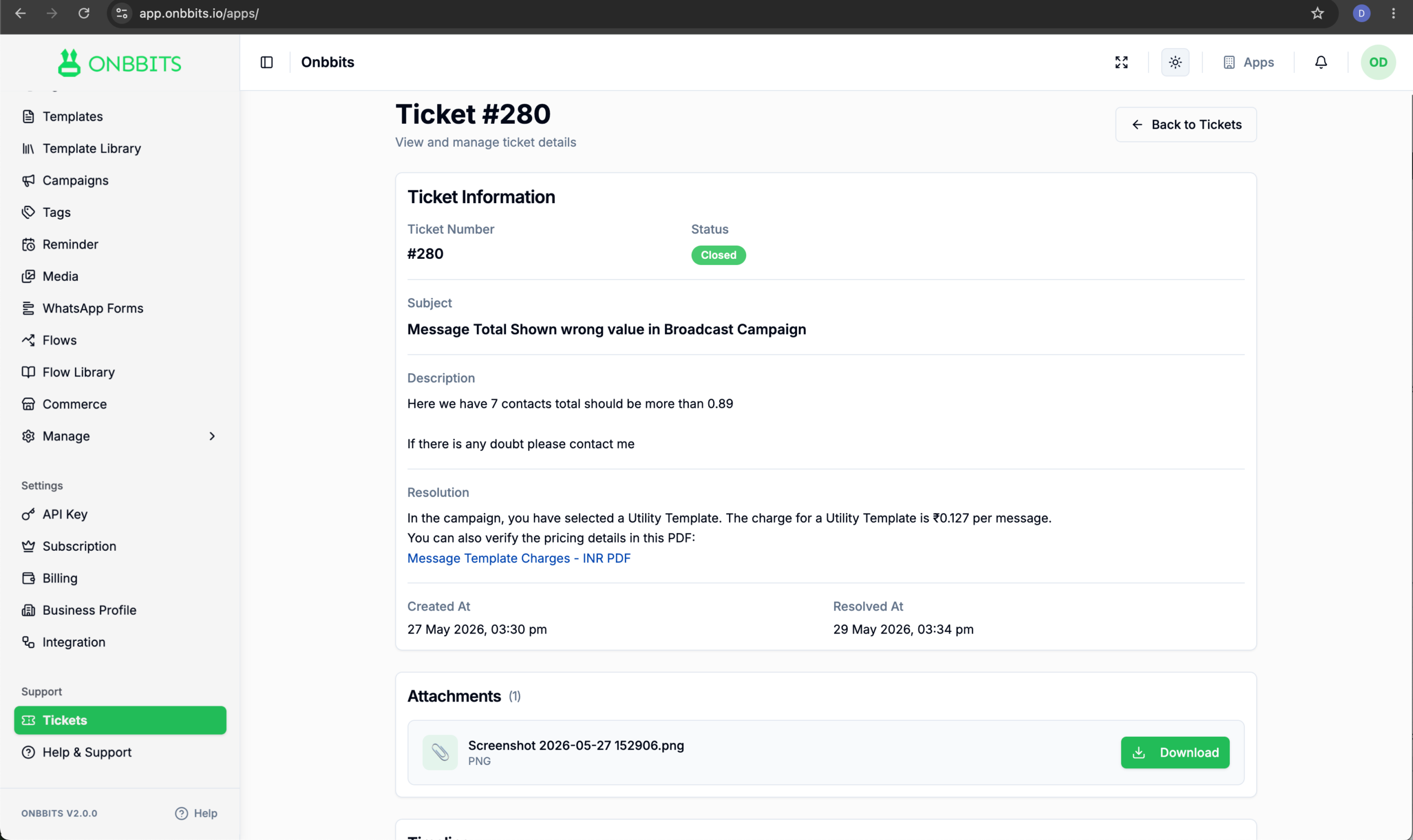
Open the Support or Tickets section and select the ticket you want to view. The ticket details page displays its status, resolution details, attachments, and the complete conversation history with the support team in one place.
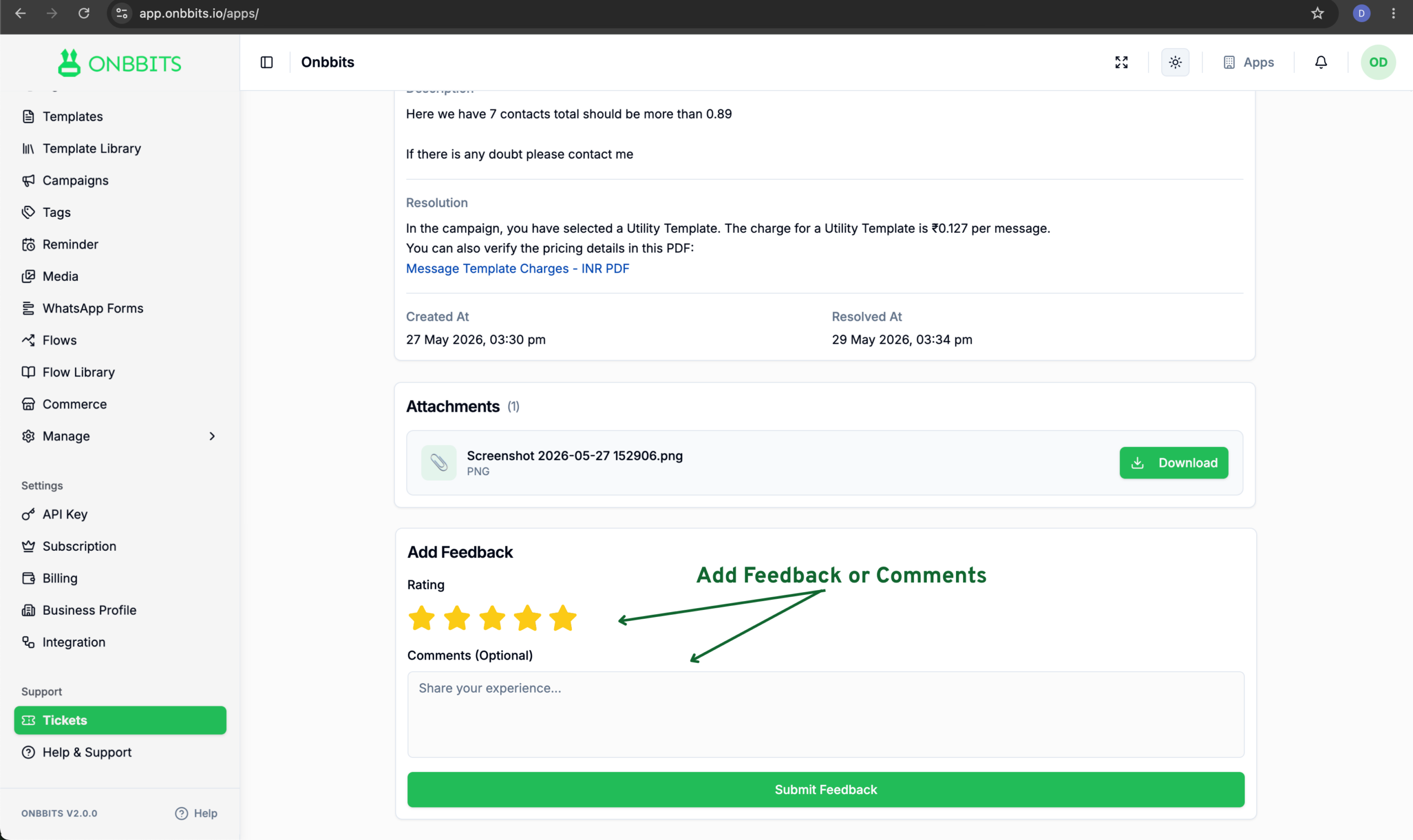
Once a ticket is marked Resolved, you can rate your support experience:
Whether you’re reporting a bug or asking a quick question, the Onbbits support ticket system keeps every request organised and visible from start to finish. If you need further help, create a ticket and our support team will take it from there.
Our support team is ready to assist you.
© 2026 ONBBITS. All rights reserved.