
OVERVIEW
FEATURES
INTEGRATION
SUPPORT
Not every campaign needs to go out the moment you create it. Scheduling lets you set up a campaign now and have it send automatically at a future date and time.
Scheduling is useful any time you want your message to land at a specific moment, rather than as soon as you finish setting it up.
Scheduling happens on the last step of creating a Broadcast Campaign, right before you create it.
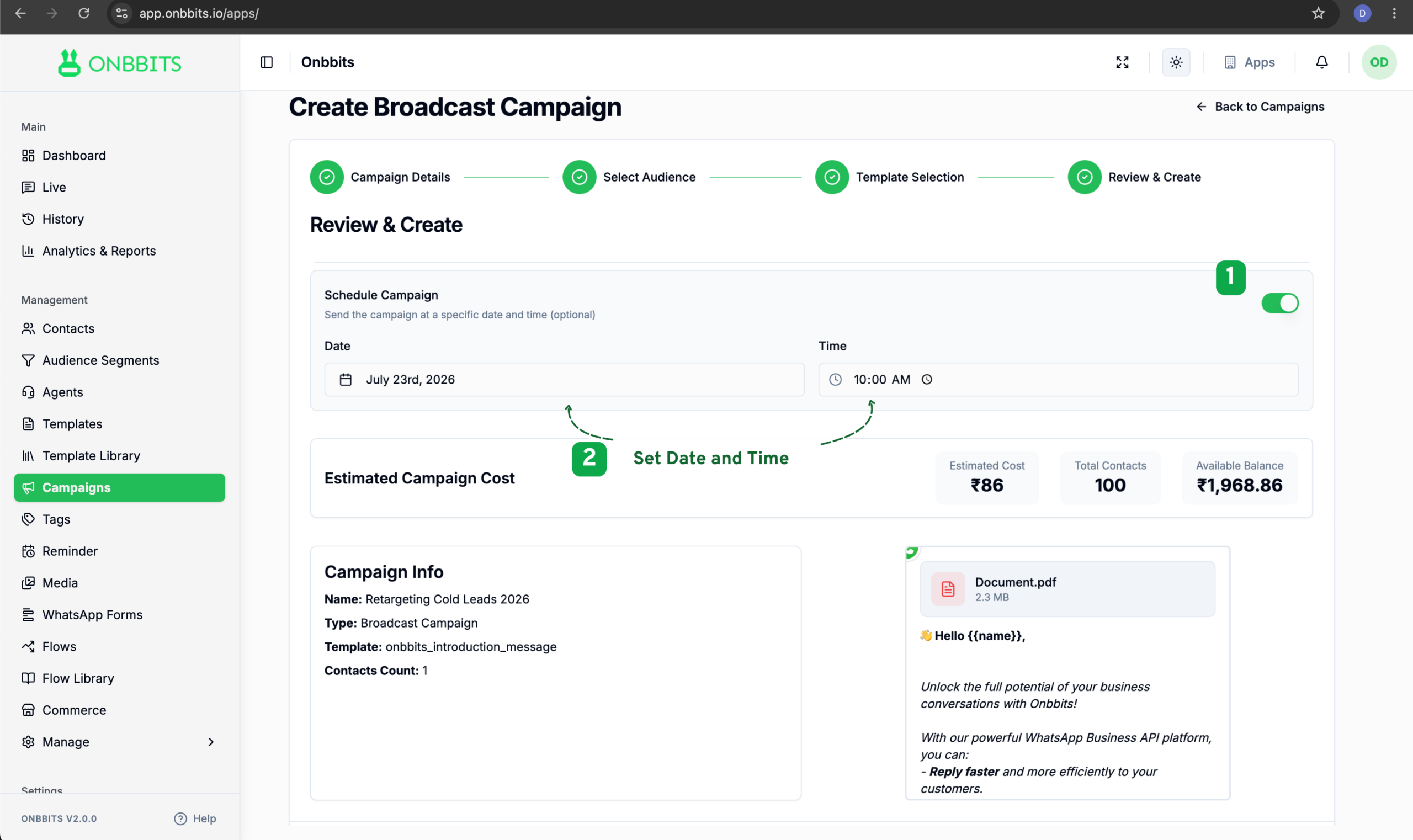
Your campaign is created in a Scheduled state and will automatically send at the date and time you selected. You don’t need to keep Onbbits open or be online.
Still Have Questions? Visit Our FAQ Page
Our support team is ready to assist you.
© 2026 ONBBITS. All rights reserved.