Connecting Your WhatsApp Business Account to Onbbits

Embedded Signup is Meta’s official onboarding process for connecting a WhatsApp Business Account (WABA) to Onbbits. This article walks you through the complete setup process.
Step 1: Start Embedded Signup

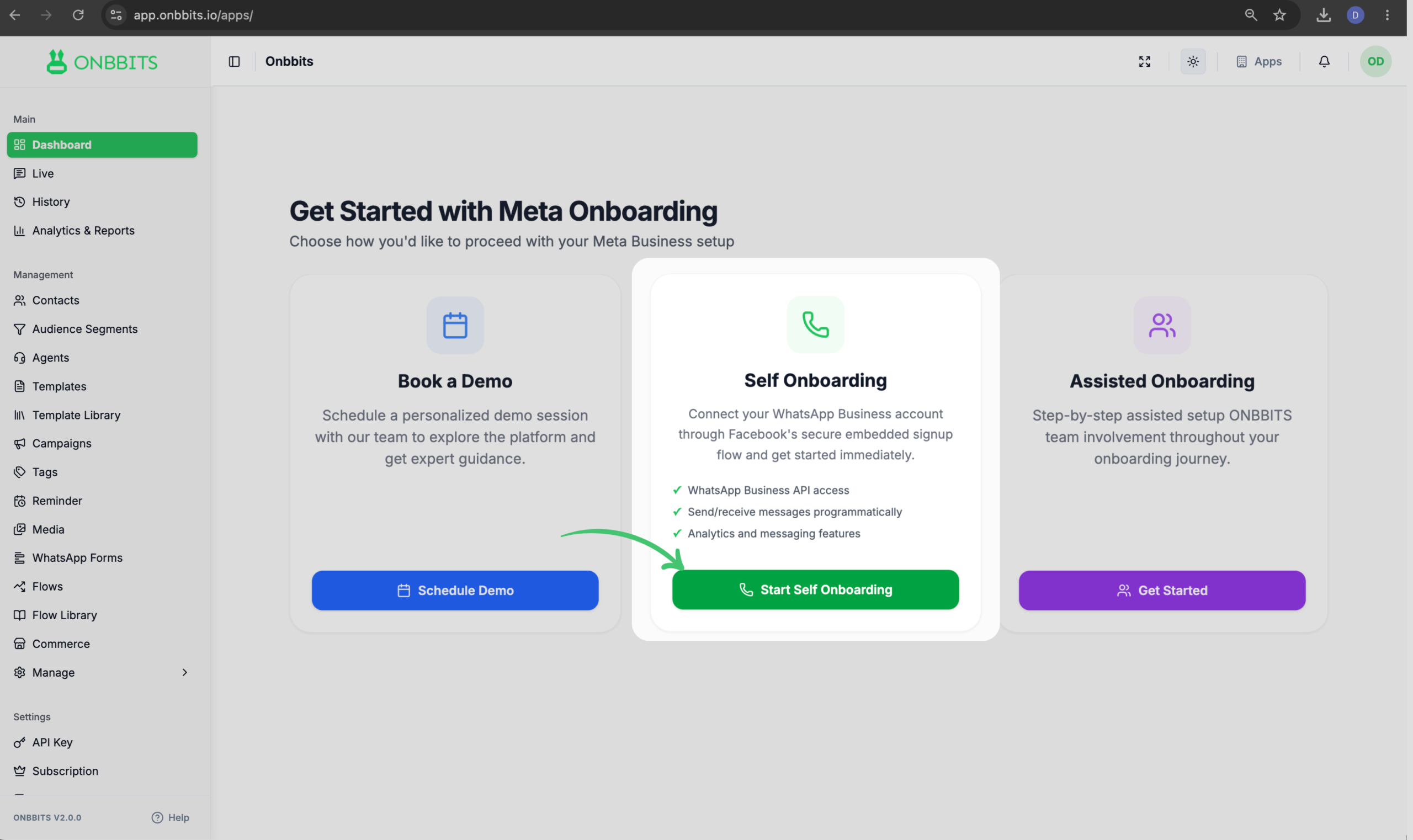
  1. From the App Dashboard, click Start Self Onboarding.
  1. Then click “Connect Your WhatsApp Business Account”
  2. Review announcements about WhatsApp Business setup.
  3. Continue to launch Meta’s Embedded Signup flow and log in with Facebook
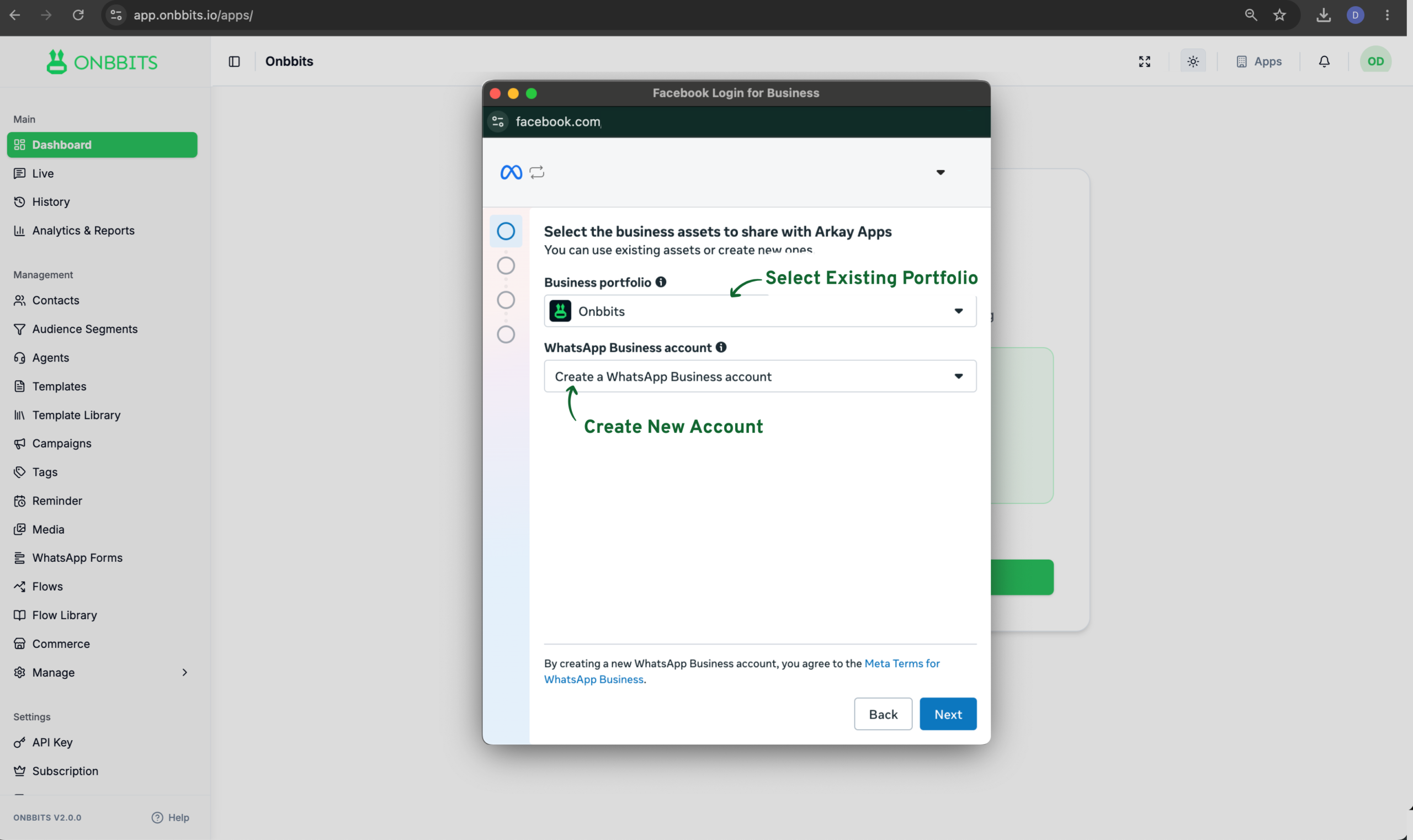
  4. Start Embedded Signup: Select your Existing Business Portfolio and Select “Create New WhatsApp Business Account”

Step 2: Confirm Business Information

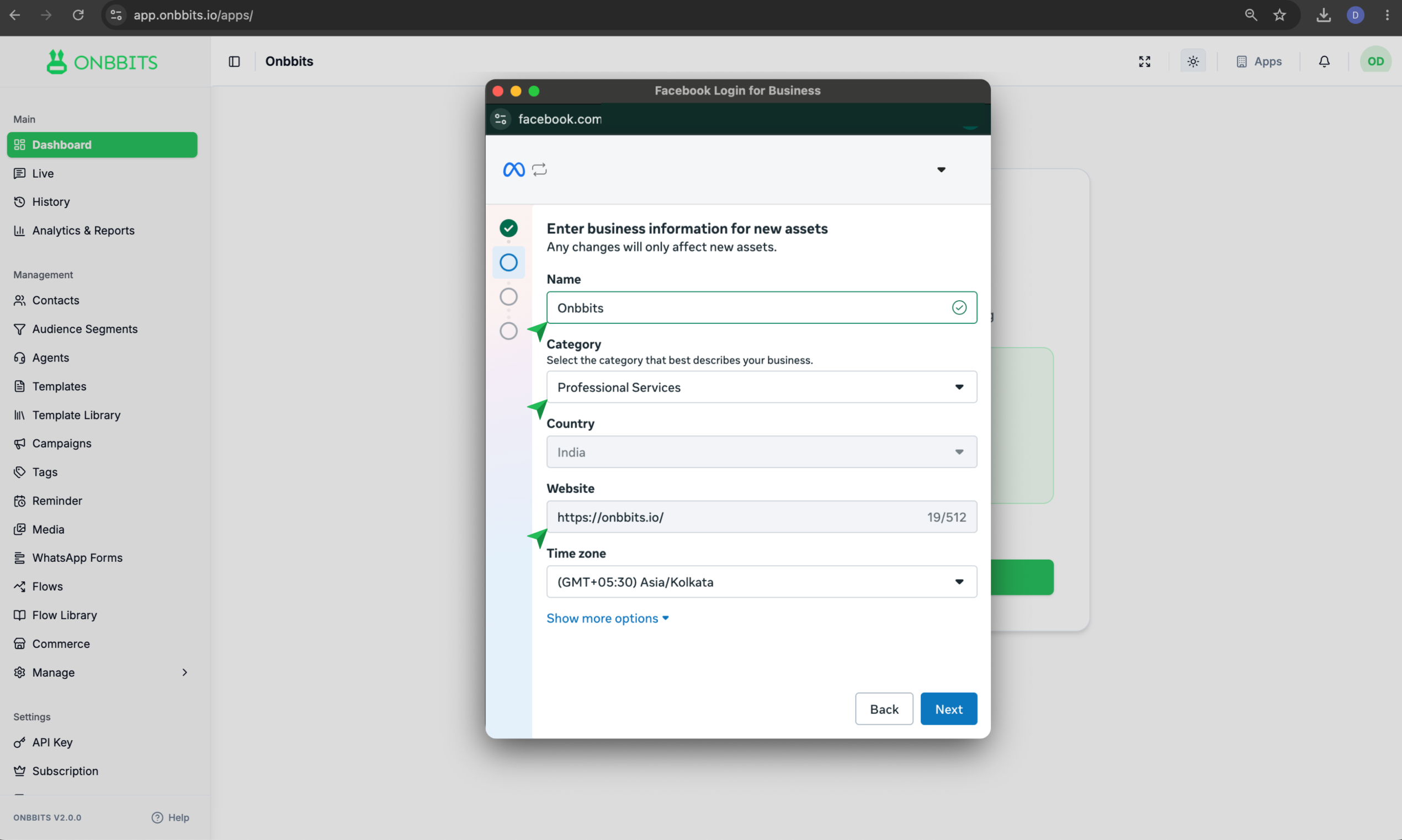
  1. Meta auto-fills your business name, website, country, and address from portfolio, confirm these are correct before continuing.

Step 3: Enter Your Phone Number

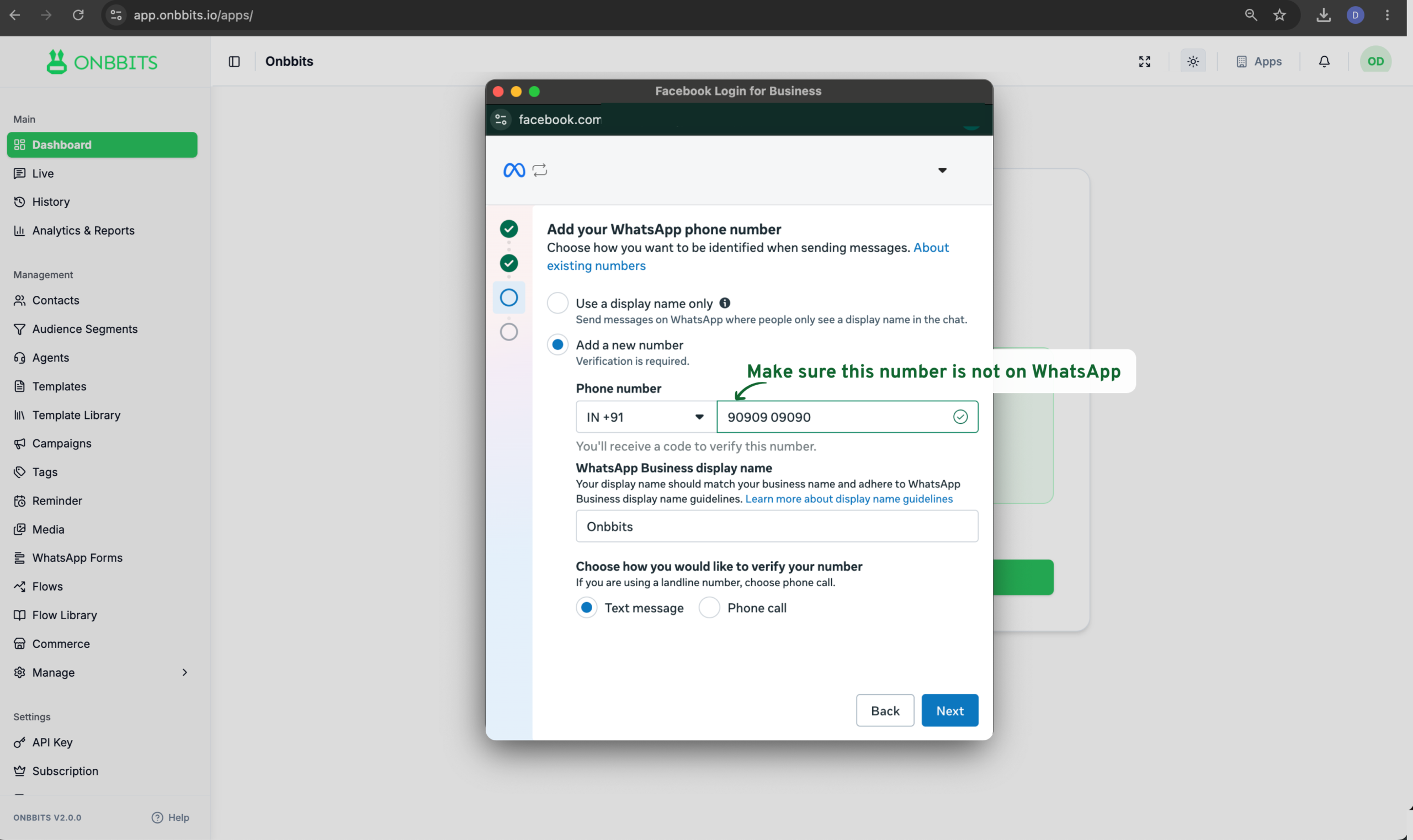
  1. Enter your business phone number and click Next.
  2. Meta sends a one-time password (OTP) to that number.
  3. Enter the OTP and click Next.
Note

Step 4: Review and Approve Access

Meta shows a summary of the permissions being requested for your business and WABA. Review the details, then approve to complete the connection.

Your WhatsApp Business Account is connected to Onbbits, required permissions are applied, and the number becomes available for messaging. You’re redirected back to Onbbits automatically.

Note
Related Articles

Welcome to Onbbits: Turn WhatsApp Conversations into Business Growth

How to Create and Set Up Your Onbbits Account

Still need help?

Our support team is ready to assist you.

© 2026 ONBBITS. All rights reserved.