
How to Create and Set Up Onbbits Account

Onbbits offers two ways to register: Email & Password or Google Sign-In. Both lead to the same dashboard, but they handle verification and password management differently.
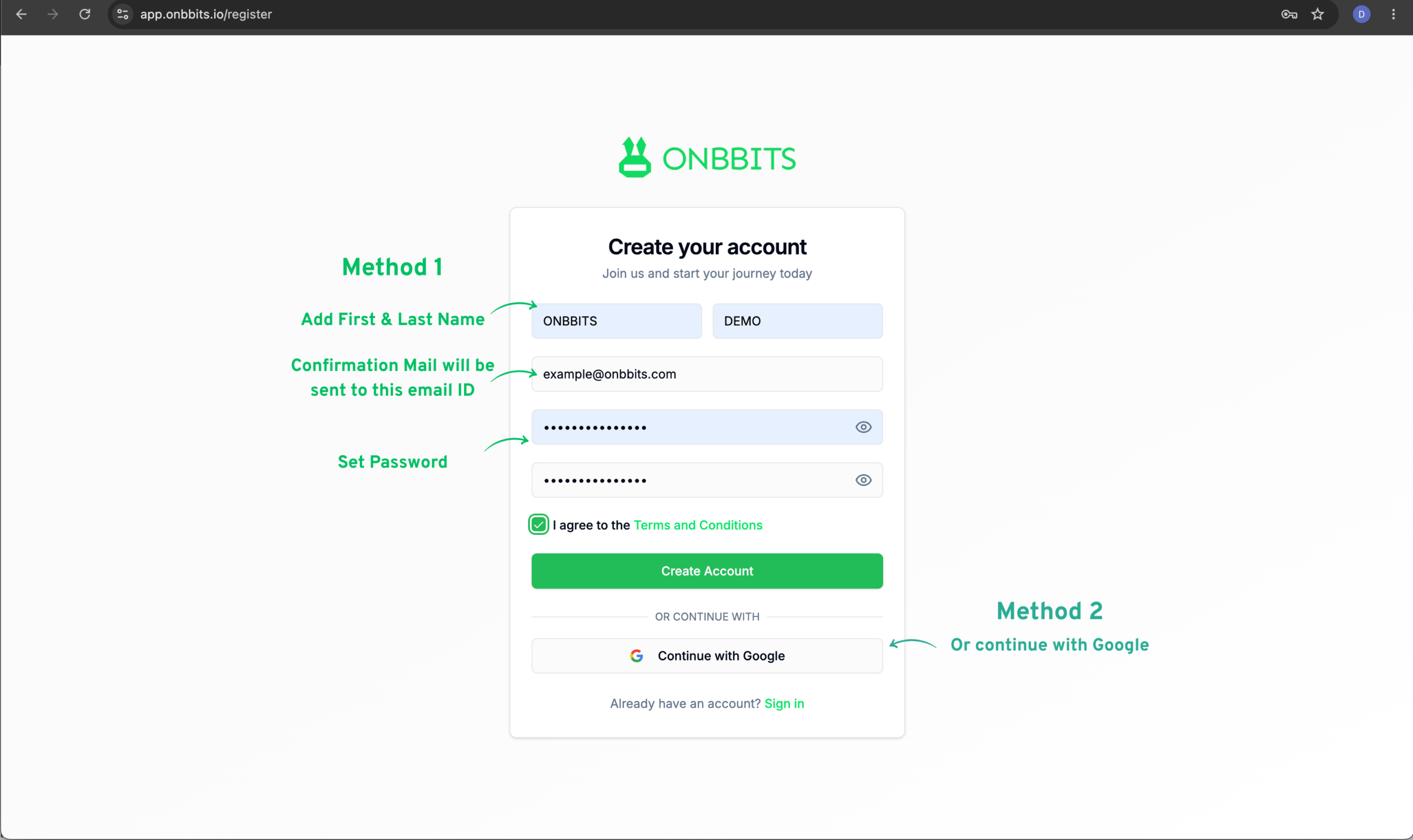
Step 1: Create Your Account

  1. Email & Password — Enter your email, create a password, accept the Terms & Conditions, and click Create Account.
  2. Google Sign-In — Accept the Terms & Conditions, click Register with Google, and authorize access.

Step 2: Verify Your Email (Email & Password Only)

Google accounts are verified automatically and skip this step.

  1. Check your inbox for the verification email from Onbbits.
  2. Click the verification link to activate your account. The link is valid for 24 hours.

Step 3: Log In

Step 4: Update Your Profile

Click the Profile icon in the top-right corner, then click Edit to update:
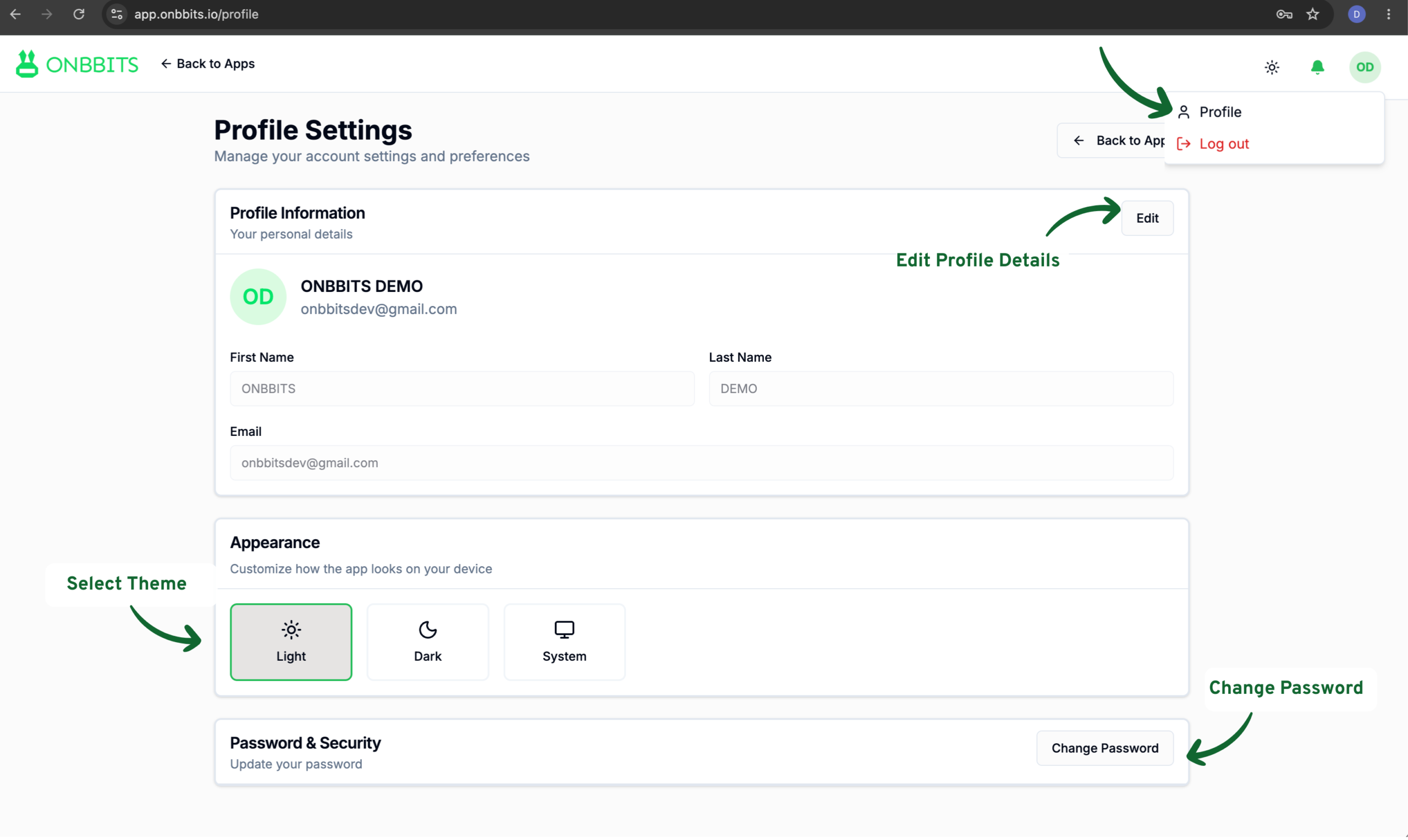
Your Onbbits account is active, and you can log in anytime to manage conversations, campaigns, and automation from your dashboard.

Related Articles

Welcome to Onbbits: Turn WhatsApp Conversations into Business Growth

Connecting Your WhatsApp Business Account to Onbbits

Still need help?

Our support team is ready to assist you.

© 2026 ONBBITS. All rights reserved.