
What Can You Build with the Onbbits API?

There are three main ways to connect your own systems to Onbbits, depending on what you’re trying to do.

Send Messages from Your System via Onbbits API

Use this if you want to trigger a WhatsApp message from your own system — for example, sending an order confirmation from your backend the moment an order is placed.

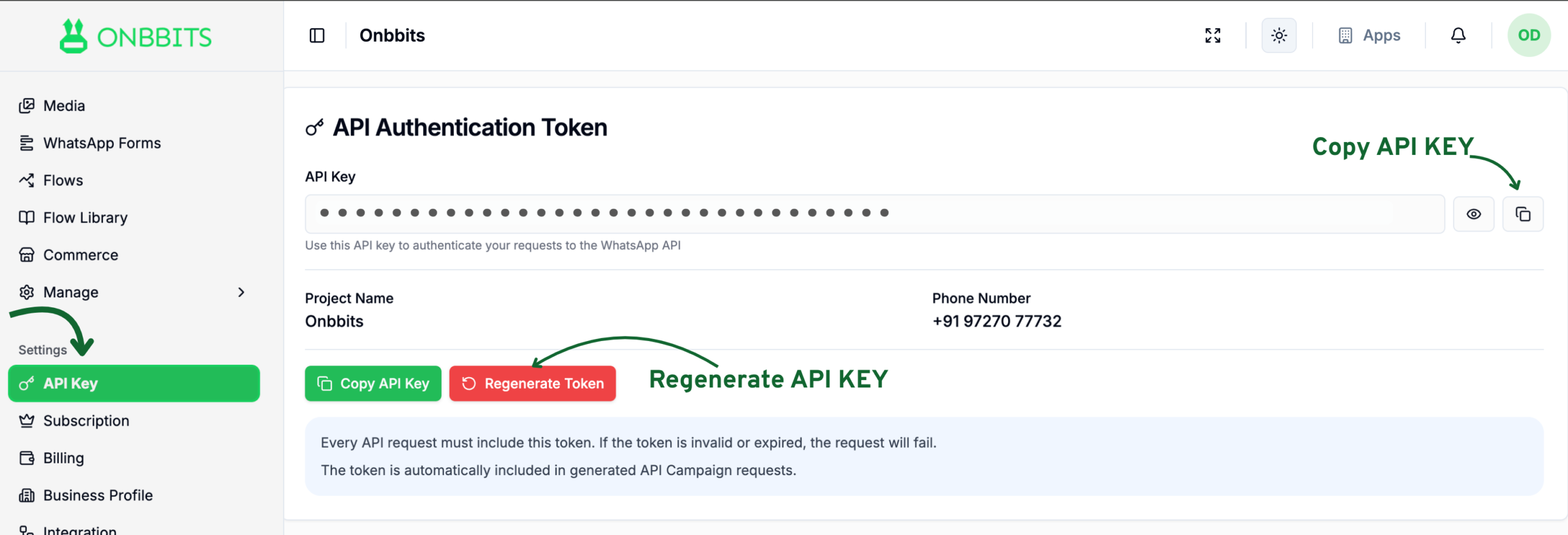
  1. Have an Onbbits account with an app set up. See Account Setup for this.
  2. Go to Settings → API Key and copy it. The API Key is visible to the account Owner only.
  3. Create an API Campaign, then copy the ready-made cURL request from its sidebar. See the API Campaign Article for the full walkthrough.
  4. Paste that into Postman, your terminal, or your own backend system to send a message.

Receive WhatsApp Form Data in Your System

Use this if you want form submissions — like a lead capture or delivery address form — to land directly in your CRM, database, or another system, instead of only checking the Entries page in Onbbits.

  1. Create an endpoint on your own server that’s ready to receive data.
  2. Open the Form’s Entries page and go to Webhook Settings.
  3. Paste your endpoint URL in as the Endpoint URL and save.

See Set Up Form Webhooks for the full walkthrough, including the payload format.

Fetch or Send Data from a Flow

Use this if you want a Flow conversation to fetch or send data based on what the customer says — like looking up an order, creating a support ticket, or capturing a lead in your own system.
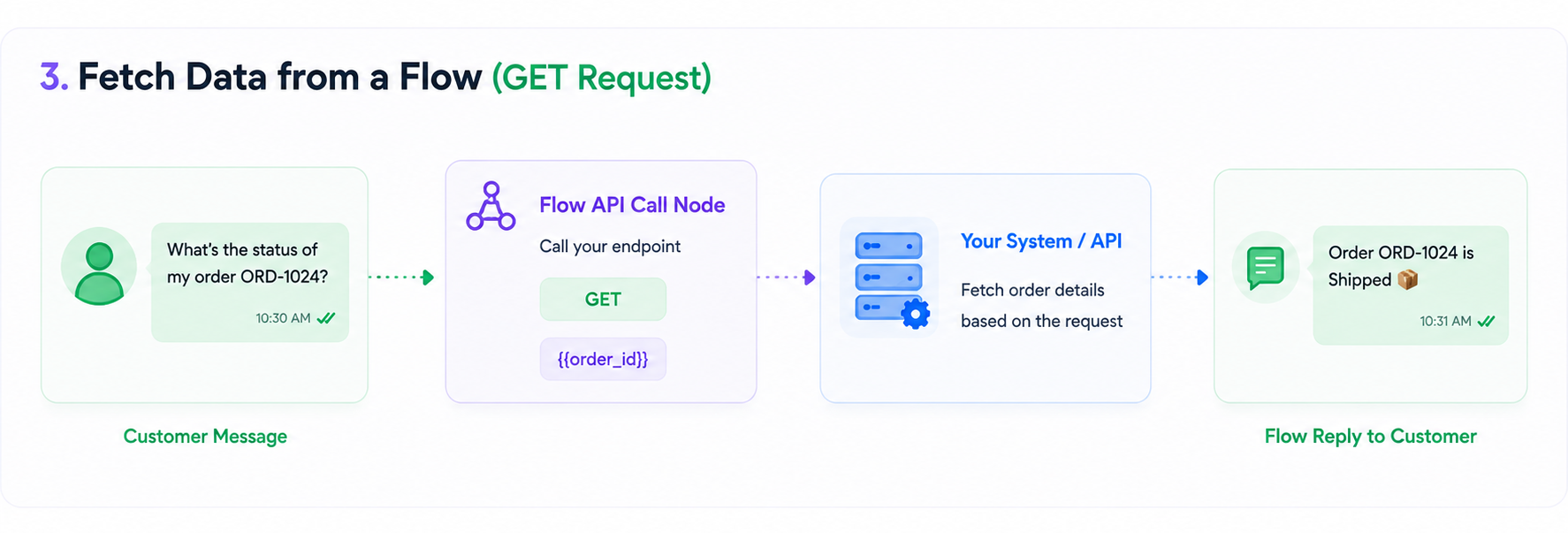
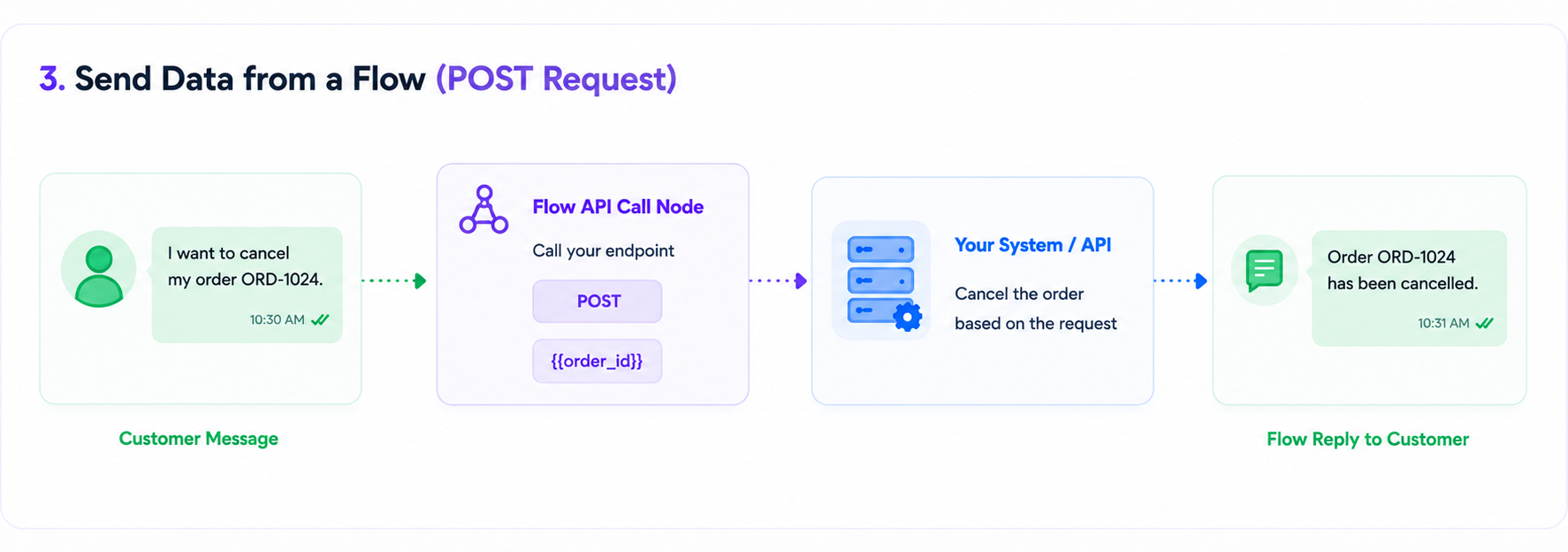
  1. Create an endpoint on your system that accepts whatever parameters you need (like an order ID or a customer’s phone number).
  2. In the Flow builder, add an API Call node and set the Request method to GET (to fetch data) or POST (to send data).
  3. Point it at your endpoint, and reference any values captured earlier in the Flow using variables.

See Flow API Node for field-level detail on GET and POST requests.

Related Articles

Welcome to Onbbits: Turn WhatsApp Conversations into Business Growth

How to Create and Set Up Your Onbbits Account

Connecting Your WhatsApp Business Account to Onbbits

Still need help?

Our support team is ready to assist you.

ONBBITS Help Doc v1.0