
How to Add and Update a Contact

This article walks you through adding a new contact in Onbbits and updating one you’ve already added.
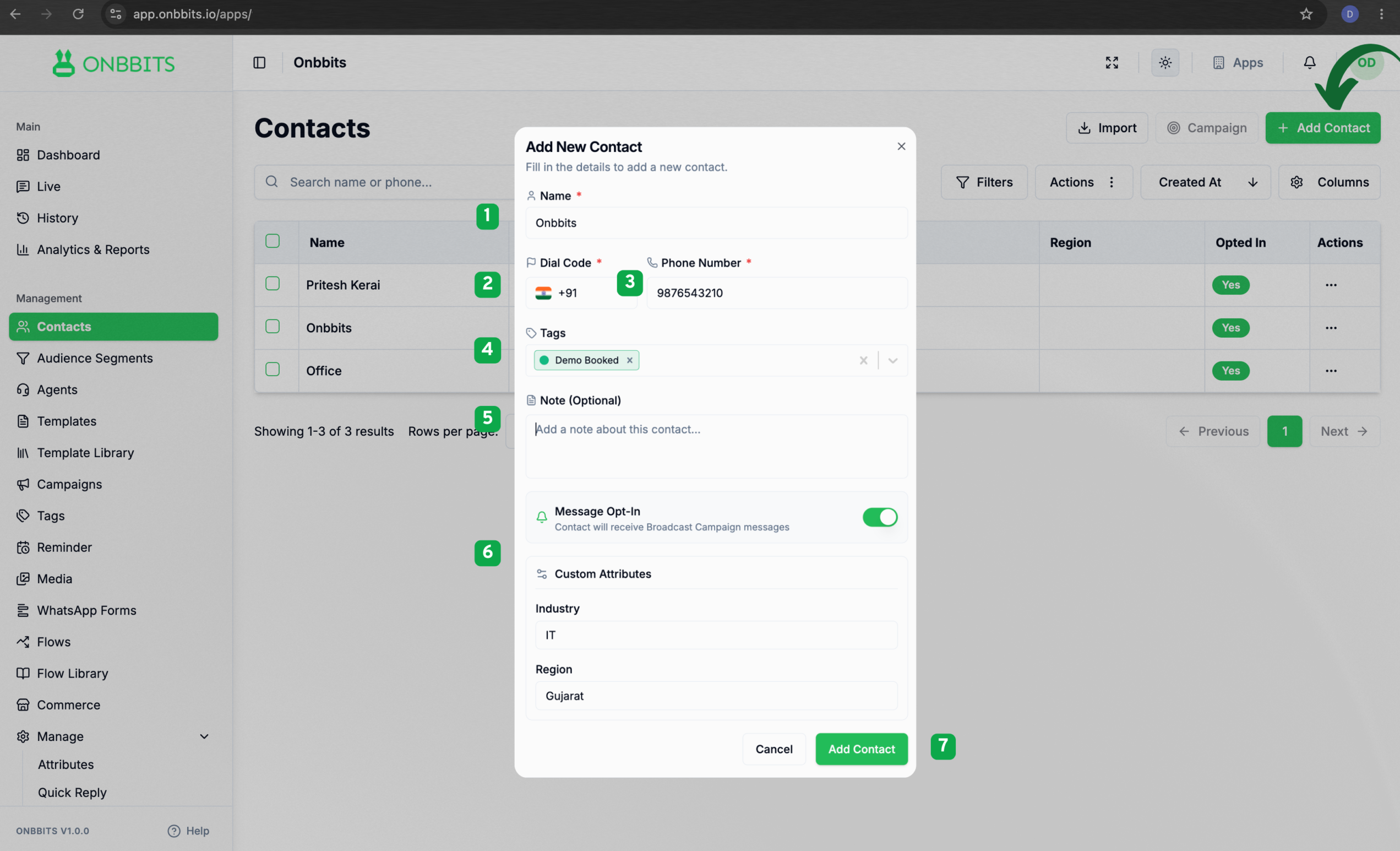
Adding a New Contact

  1. Click Add Contact.
  2. Fill in the contact’s details:
  • Name
  • Dial code — select the contact’s country code from the dropdown.
  • Phone Number
  • Tags (optional) — help you group the contact later.
  • Note (optional) — anything worth remembering about this contact.
  • Attributes (optional) — extra details like industry or company size. 
  1. Save the contact.

That’s it — the contact now shows up in your contact list, ready to message.
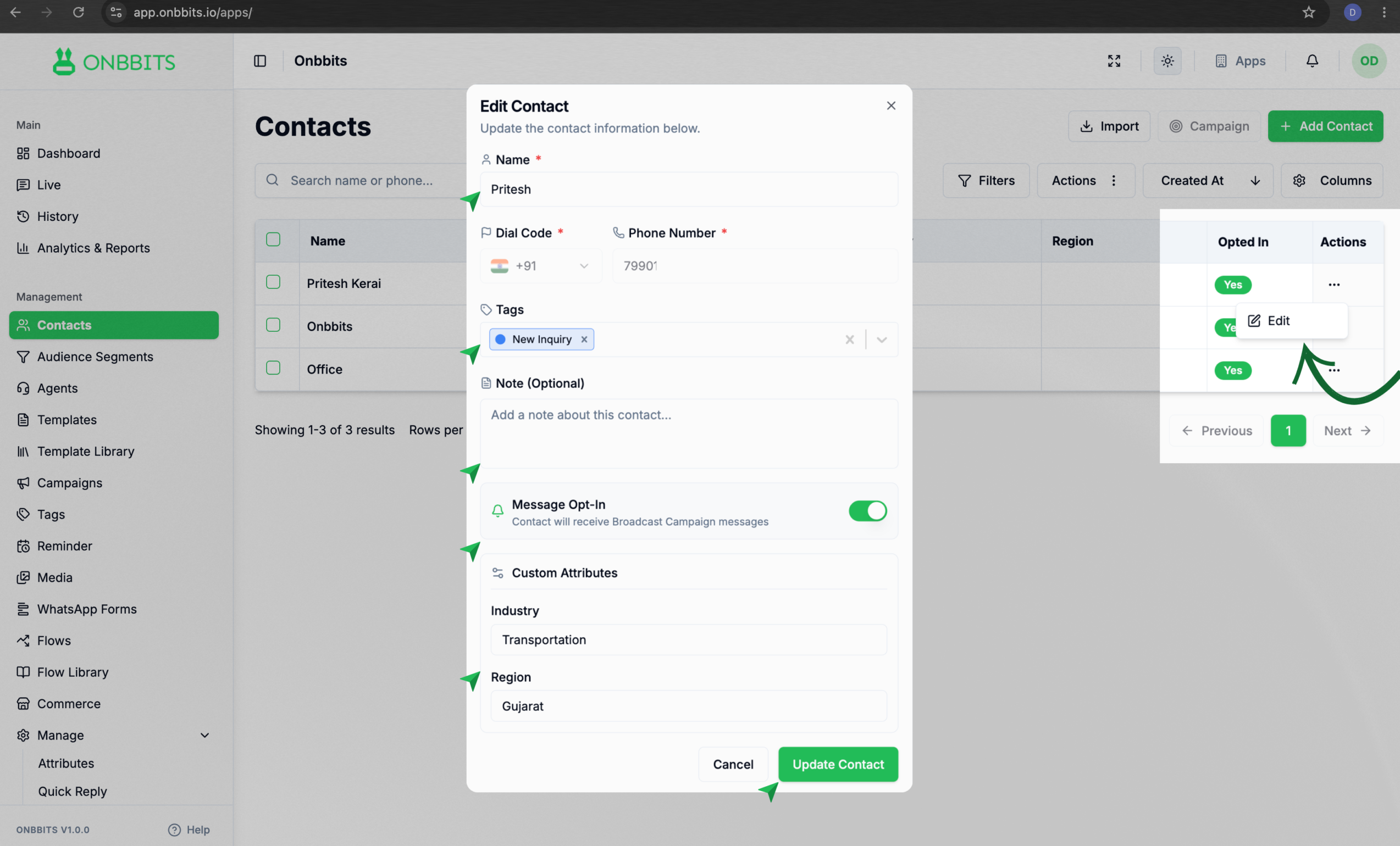
Updating an Existing Contact

  1. Open the contact you want to update from your contact list.
  2. Edit any field that needs changing
  3. Save your changes.

Your changes take effect right away, so the next message you send will use the updated details.

Related Articles

How to Import and Export Contacts

How to Search and Filter Contacts

How to Manage Contact Opt-In/Opt-Out Settings

What Is a Contact in OnBBits?

Understanding Contact Opt-In and Opt-Out Rules

Still need help?

Our support team is ready to assist you.

© 2026 ONBBITS. All rights reserved.