
How to Search and Filter Contacts

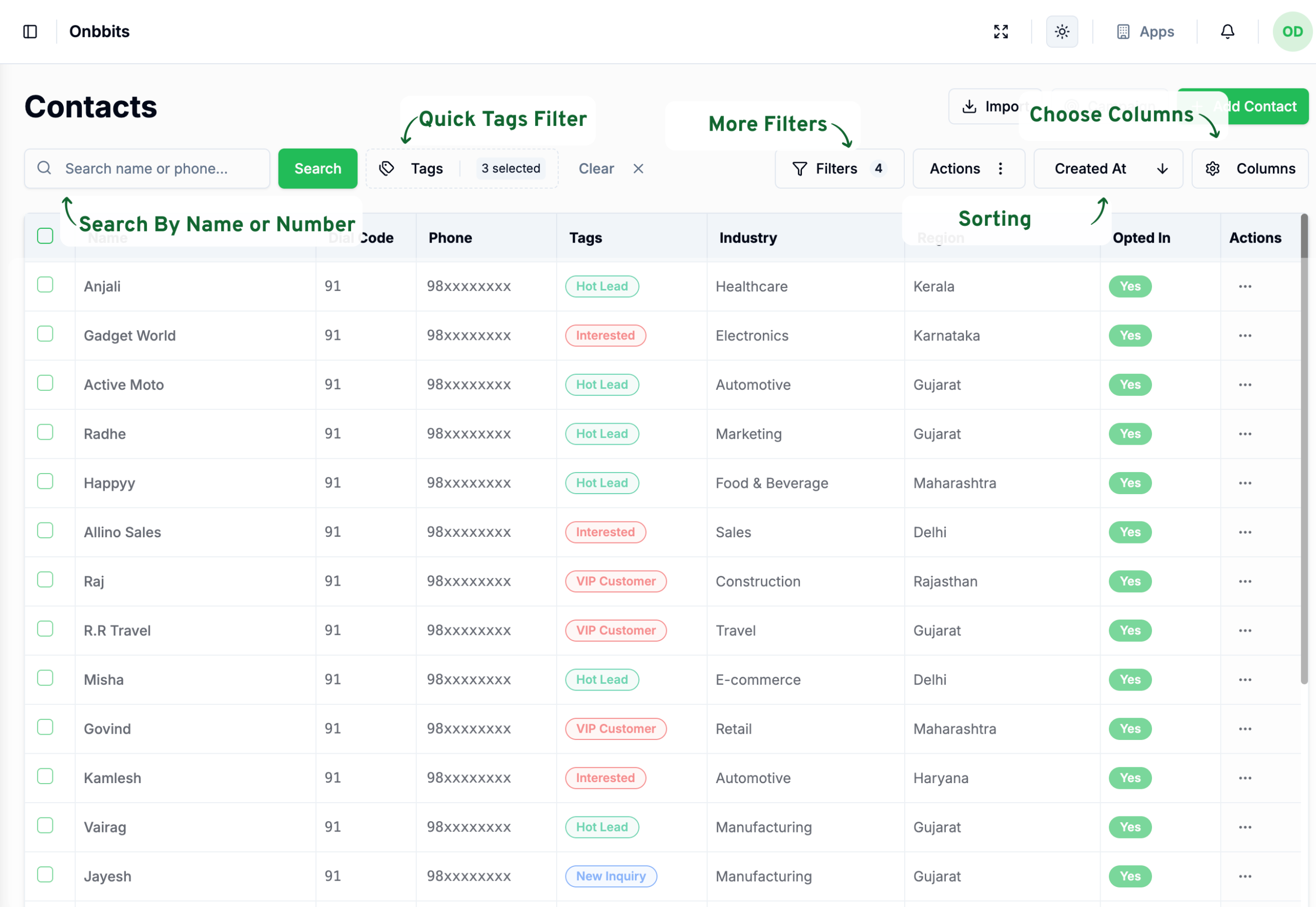
Once your contact list starts growing, finding the right person by scrolling gets old fast. This article covers the four ways Onbbits helps you find and view contacts faster: search, filters, tag filtering, and sorting.
Searching for a Contact

  1. Type the contact’s name or phone number into the search bar.
  2. Press Enter, or click the search button.

Filtering Contacts

Choosing Which Columns to Show

  1. Click the Columns button (with the gear icon).
  2. Turn on the columns you want to see, and turn off the ones you don’t.

Sorting Your Contact List

Sorting changes the order contacts appear in, without hiding anything.
  1. Click Sort By.
  2. Choose how you want to sort — for example, by Name or Created At.
Related Articles

How to Add and Update a Contact

How to Import and Export Contacts

How to Manage Contact Opt-In/Opt-Out Settings

What Is a Contact in OnBBits?

Understanding Contact Opt-In and Opt-Out Rules

Still need help?

Our support team is ready to assist you.

© 2026 ONBBITS. All rights reserved.