
OVERVIEW
FEATURES
INTEGRATION
SUPPORT
Retargeting lets you follow up with contacts from a past campaign based on what they did with the message, whether they were delivered, read, replied, or failed. It’s a fast way to send a new campaign to a specific group without rebuilding your audience from scratch.
You can retarget contacts based on their Sent, Delivered, Read, or Replied status.
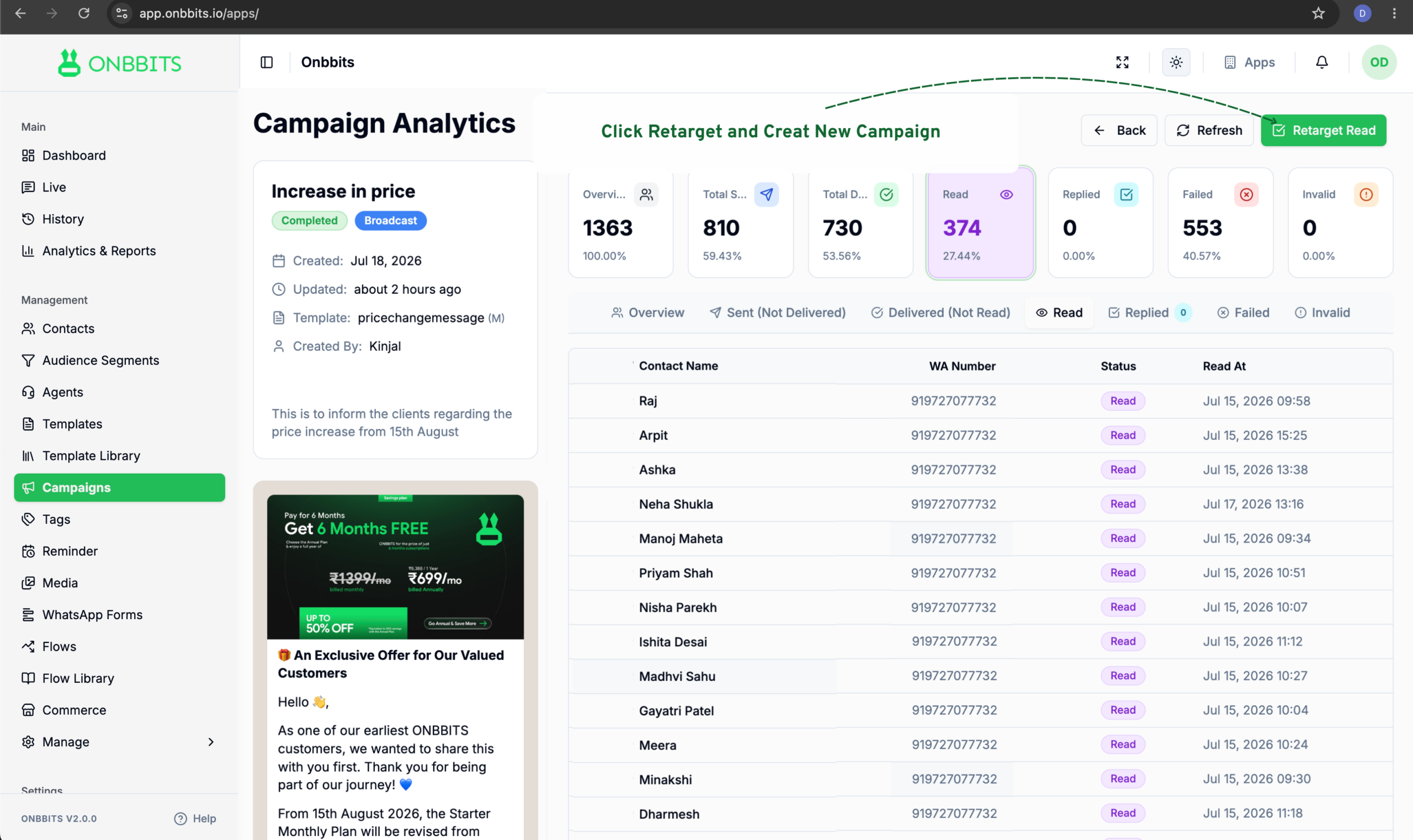
This creates a brand new campaign, using the contacts from that status as its audience. The original campaign stays untouched.
When you retarget by status, the new campaign shows a Parent Retarget Campaign link back to the original it was created from. The original campaign’s details also list every campaign that was retargeted from it under Retarget Campaigns, so you can trace the full chain of follow-ups.
Still Have Questions? Visit Our FAQ Page
Our support team is ready to assist you.
© 2026 ONBBITS. All rights reserved.