
OVERVIEW
FEATURES
INTEGRATION
SUPPORT
Every chat in the Inbox needs an owner so nothing falls through the cracks. Assignment can happen two ways: an owner assigns a chat to an agent, or an agent picks up a chat themselves.
What you can do here depends on your role.
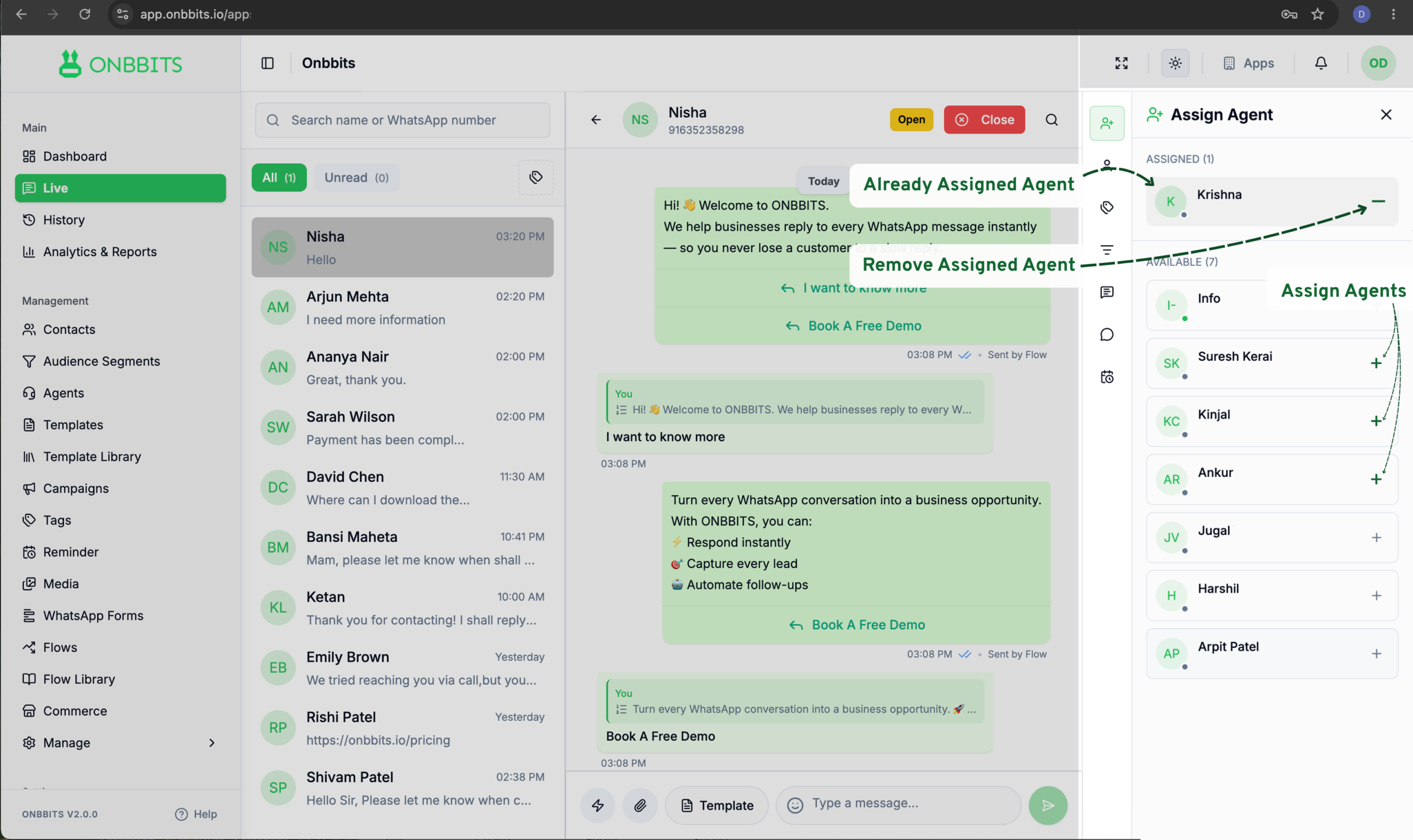
The agent appears under Assigned once added. They’ll get a notification that the chat has been assigned to them.
The chat is assigned to you, its status moves to Open, and you can start replying.
Still Have Questions? Visit Our FAQ Page
Our support team is ready to assist you.
© 2026 ONBBITS. All rights reserved.